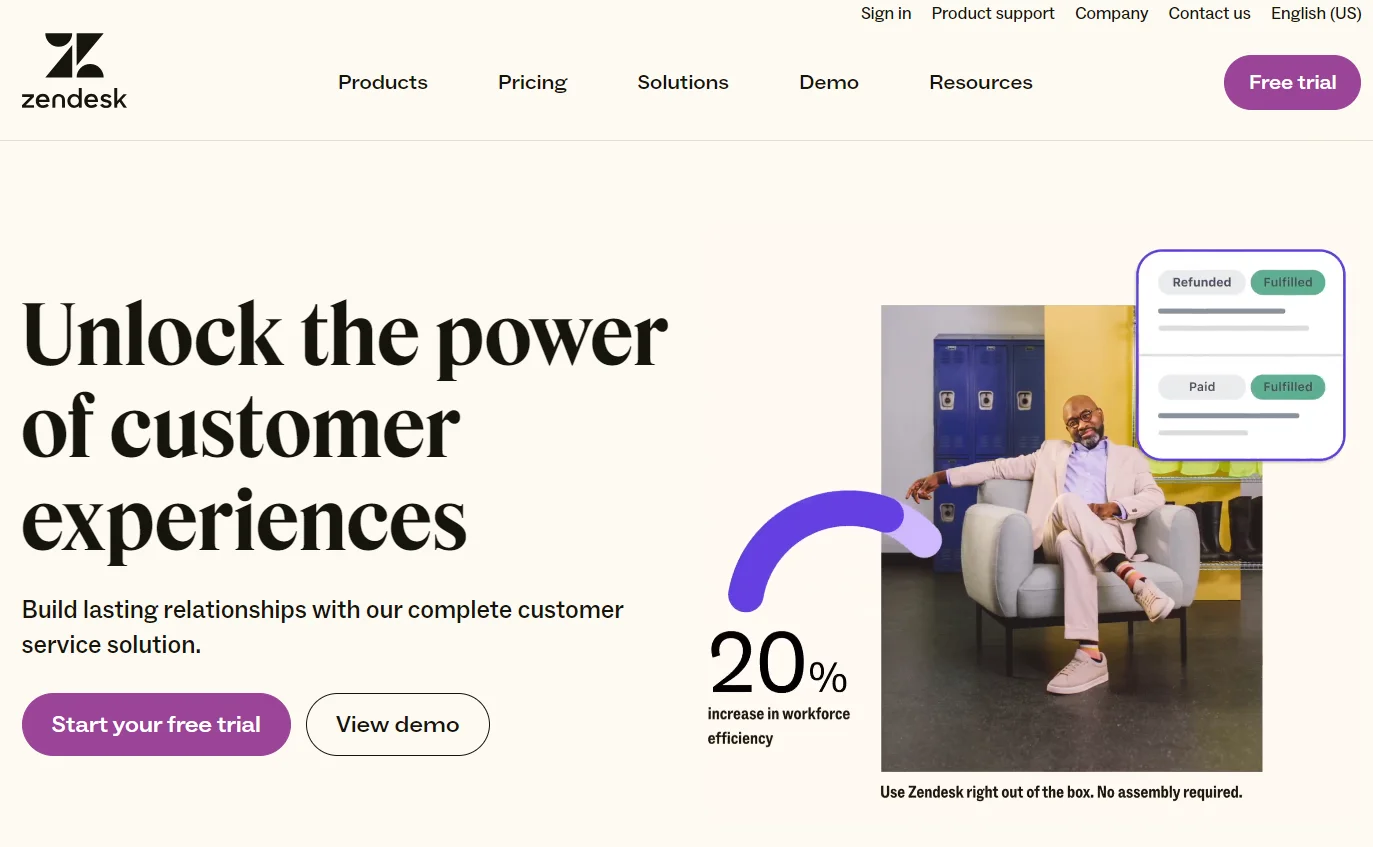



Before anything else: Zendesk Sell, the Zendesk CRM for sales teams, is shutting down on August 31, 2027. If you’re evaluating Zendesk as a sales CRM right now, that changes the entire conversation.
We’ll cover the full picture below – what Zendesk Sell was, what Zendesk’s service platform actually does, whether either makes sense for your team in 2026, and where to go instead. No softening the retirement news. No burying it in paragraph eight.
Our verdict: who Zendesk is (and isn’t) for
| Criteria | Score |
|---|---|
| Usability | 4 / 5 |
| Features (as a CRM) | 3.5 / 5 |
| Value for money | 3 / 5 |
| Customer support | 3 / 5 |
| Overall | 3.5 / 5 |
Zendesk is right for you if you run a support-heavy operation and want a proper ticketing system with CRM features built in. It’s genuinely good at omnichannel customer service – tickets, live chat, email, phone, and social all in one place.
Zendesk is the wrong choice if you need a sales CRM to manage a pipeline. Zendesk Sell is closing. And even before the retirement announcement, Sell always lagged behind Pipedrive, HubSpot, and Monday CRM on pure sales functionality.
Zendesk Sell is being retired – here’s what you need to know
Let’s address this directly, because most reviews won’t.
In 2025, Zendesk announced it is sunsetting Zendesk Sell on August 31, 2027. If you’re a current Sell user, you need a migration plan in place well before that date. If you’re evaluating Zendesk as a new sales CRM today, you’re considering a platform with an expiry date.
What makes this notable: Zendesk has formally partnered with Pipedrive and is directing its own Sell customers there as the recommended replacement. That is a pretty clear signal from a software company about which platform should inherit its user base.
If you’re migrating off Zendesk Sell – or evaluating your options before committing – our Pipedrive review [populate once English version is live] walks through exactly what makes it the most direct replacement and where it fits different team sizes.
The rest of this review covers both products honestly: what Sell offered, and what Zendesk’s service platform does for the teams that stay.
What is Zendesk CRM? (Sell vs. Support explained)
Here is where people get confused. “Zendesk CRM” covers two separate products that do very different things.
Zendesk Sell (sales CRM) – now retiring
Zendesk Sell began as Base CRM, a startup Zendesk acquired in 2018. It’s a pipeline-based sales CRM: contact management, deal tracking, email sequencing, activity logging, and sales reporting. For a while, it was a reasonable option for teams already in the Zendesk ecosystem who wanted sales and support data in one place.
As of August 2027: gone.
Zendesk Support (customer service platform)
This is where Zendesk has always been strongest. Zendesk Support – sold as part of the Zendesk Suite – is a customer service platform: ticketing, live chat, knowledge base, AI agents, and an omnichannel inbox. It has CRM-like features (unified customer profile, conversation history, contact data) but it’s built for support teams, not sales teams.
Is Zendesk a CRM?
Yes, with a caveat. Zendesk stores customer data, tracks interactions, and gives you a unified view of each customer. That makes it a CRM in the broad sense. But it’s a customer service CRM – designed to help support and success teams manage post-sale relationships – not a sales CRM for managing pipelines and closing deals.
The distinction matters when you’re choosing software. A support team comparing Zendesk to Freshdesk is asking the right question. A sales team comparing Zendesk Sell to Pipedrive is also asking the right question, but the answer in 2026 has a shelf life attached.
Zendesk CRM features
Pipeline and deal management
Zendesk Sell’s pipeline view is clean – drag-and-drop stages, customizable columns, deal probability. It handles basic pipeline management fine. What it doesn’t handle well is deeper customization. You can’t easily build conditional deal stages, and the forecasting reports feel thin compared to Salesforce or HubSpot. For a team that needs a simple visual pipeline without much custom logic, Sell works. Hit the ceiling fast if you need anything more complex.
Lead management and generation
Sell offers lead capture forms, email integration, and basic lead scoring. You can set up sequences to follow up on new leads automatically. The basics are covered. Lead deduplication is one of its weaker points – merging duplicate records requires more manual intervention than you’d expect from a modern CRM in 2026.
Sales automation and reporting
Automation in Sell is rule-based: if a deal moves to stage X, trigger Y. It works, but it’s basic compared to what HubSpot or ActiveCampaign offer. There’s no native multi-step workflow automation. Reports cover pipeline velocity, activity summaries, and revenue forecasting – but building custom reports requires the Professional tier.
Mobile app
The Sell mobile app was genuinely one of its best features. Native geolocation, full pipeline access, activity logging on the go. Field sales teams that live in the mobile app were better served by Sell than by most competitors at its price point. A real strength – in a product that’s now being retired.
Zendesk Support integration (the real value)
Here’s where the Zendesk pitch actually makes sense. The integration between Sell and Support – your sales rep seeing full customer support history before a renewal call, your support agent seeing the deal stage of the customer they’re helping – that connected view is useful in practice.
It’s the reason some teams chose Zendesk Sell over standalone CRMs. The problem: that integrated value disappears when Sell shuts down in 2027, unless you move your entire sales operation onto Zendesk’s service platform, which is not designed for pipeline management.
Zendesk pricing (2026)
Zendesk Sell plans
Sell has three tiers: Team, Growth, and Professional, starting at roughly $19/agent/month. Zendesk is still selling Sell to new customers, which is worth knowing. We wouldn’t recommend signing an annual Sell contract in 2026 unless your migration timeline off the platform is already defined.
Zendesk Suite (Support) plans
This is the product with a future. Pricing, billed annually:
| Plan | Price |
|---|---|
| Suite Team | $55/agent/month |
| Suite Growth | $89/agent/month |
| Suite Professional | $115/agent/month |
| Suite Enterprise | $169+/agent/month |
Monthly billing adds roughly 20–30% to the per-seat cost. Even the Team tier includes ticketing, email, live chat, and a basic knowledge base. The jump to Professional is where you get full custom reporting, multilingual support, and SLA management.
Hidden costs and billing gotchas
Onboarding. Zendesk’s more complex setups – particularly at Professional and above – often need paid implementation help. Budget for it if you don’t have a dedicated ops person internal to your team.
AI features as add-ons. Zendesk’s AI agent capabilities (which they’re pushing hard in 2026) require the Growth plan or above, and some features are separate add-ons on top of that. The advertised prices don’t always reflect the final monthly number once you configure what you actually need.
Storage limits. Suite Team has a 50GB data storage cap per account. If your support team handles large attachments – screenshots, log files, recorded calls – you’ll hit this faster than you expect.
Zendesk CRM pros and cons
What works:
- Omnichannel inbox is genuinely well-built. Email, chat, phone, social, and messaging apps in one place – and it doesn’t feel cobbled together.
- AI features at Growth and above are meaningfully useful in practice, not just marketing copy. AI-suggested ticket routing reduces resolution times.
- The Sell mobile app was better than most CRM mobile apps at its price point.
- The Sell–Support integration gave teams a real unified customer view when both products were active.
What doesn’t:
- Pricing escalates quickly once you factor in monthly billing premiums, AI add-ons, and onboarding. The sticker price understates the real cost.
- Zendesk’s own customer support for Zendesk customers runs on ticketing below Suite Professional – no phone or live chat on lower tiers. For a customer support company, that’s a notable miss.
- Zendesk Sell as a standalone sales CRM was outclassed by Pipedrive, Monday CRM, and HubSpot on pure sales features before it was even deprecated.
- The retirement of Sell removes the central value proposition of “sales and support together.”
Zendesk alternatives to consider
If you’re here because you’re migrating off Zendesk Sell, or evaluating before committing, these are the four worth looking at seriously:
Pipedrive (Zendesk’s own recommendation)
Zendesk is officially directing Sell customers toward Pipedrive. That’s not our spin – it’s their migration guidance. Pipedrive is a pipeline-first sales CRM: clean interface, strong email integration, and automation tools that Sell never matched. If your team chose Zendesk Sell specifically for pipeline management, Pipedrive is the most direct replacement.
Our Pipedrive review [populate once English version is live] covers pricing, tier breakdowns, and who it works for.
HubSpot CRM
HubSpot’s free CRM tier gives you more on contact management and email tracking than Zendesk Sell’s paid plans. If you’re starting fresh and don’t want to pay immediately – and you expect to expand into marketing automation later – HubSpot is worth evaluating. The free tier is genuinely functional, not a stripped-down teaser. Full HubSpot review here [populate once English version is live].
Monday CRM
Monday CRM suits teams that already use Monday.com for project management and want their sales pipeline in the same workspace. It’s more flexible than Sell on custom workflows and reporting. The interface takes some getting used to, but the automation builder is more powerful than most tools at this price point. Monday CRM review [populate once English version is live].
Freshdesk / Freshsales
Freshworks makes two products: Freshdesk (support ticketing, Zendesk’s closest competitor) and Freshsales (a dedicated sales CRM). If you’re looking to replace both Zendesk Support and Zendesk Sell, the Freshworks suite is the most direct alternative – similar positioning, lower price on most tiers, and a more generous free plan. Our Freshworks review [populate once English version is live] has the full breakdown.
How Zendesk compares
Zendesk vs Salesforce
These are different categories. Zendesk is a support-first platform with CRM features. Salesforce is a full CRM with support functionality added. Salesforce wins on raw power and customization; Zendesk wins on ease of setup and out-of-the-box support depth.
Are they similar? In the sense that both store customer data and track interactions – yes. But they’re optimized for different teams. Under 200 employees with support-heavy needs: Zendesk is more accessible. Above 200 employees with complex sales ops: Salesforce is usually worth the implementation overhead.
Zendesk vs Freshdesk
The most direct alternative comparison on the support side. Freshdesk offers comparable ticketing and omnichannel support at a lower price point – their Growth plan at $15/agent/month covers what Zendesk’s Suite Team at $55/agent/month does for most small teams. Where Zendesk pulled ahead in 2025–2026 is AI-powered ticket routing and automation. If you’re budget-constrained and your support volume is moderate, Freshdesk is hard to argue against.
Zendesk vs HubSpot
These two are overlapping more every year. HubSpot’s Service Hub now covers ticketing, live chat, and knowledge base – territory Zendesk has always owned. HubSpot’s advantage is the unified sales + service + marketing platform where everything talks to everything. Zendesk’s advantage is depth on the support operations side, particularly for high-volume ticket management. Choose based on whether you’re optimizing for support depth (Zendesk) or cross-team integration (HubSpot).
Who should (and shouldn’t) use Zendesk CRM
Use Zendesk if:
- You run a support-heavy team handling 20+ tickets per day and need a real ticketing system.
- You want omnichannel customer communication – email, chat, phone, social – managed in one place.
- You’re already in the Zendesk ecosystem and upgrading to Zendesk Suite makes organizational sense.
Don’t use Zendesk if:
- You need a sales CRM for pipeline management. Zendesk Sell is closing in 2027 and you’d be building on a platform that’s winding down.
- You’re a small team (under 10 people) with light support volume. The pricing is hard to justify at that scale and the alternatives are more affordable.
- You need deep CRM customization – custom objects, complex deal logic, advanced forecasting. That’s not what Zendesk is for.
For a side-by-side view of the best support CRM options by team size and use case, our support CRM ranking covers Zendesk alongside Freshdesk, HubSpot Service Hub, and Intercom.
FAQ
What is the Zendesk CRM?
Zendesk CRM refers to two products: Zendesk Sell (a sales CRM being retired August 31, 2027) and Zendesk Support (a customer service platform with CRM features). Most people searching “Zendesk CRM” are asking about Zendesk as a customer relationship management tool – which it is, specifically for managing post-sale support relationships.
Is Zendesk a CRM program?
Yes. Zendesk is a customer service CRM – it centralizes customer data, tracks all communication history, and gives support teams a unified view of each customer. It’s not a sales CRM for managing pipelines and closing deals. That distinction matters when you’re comparing it to Pipedrive or HubSpot, which are built for sales teams.
Is Zendesk being discontinued?
Zendesk Sell – the sales CRM product – is being retired on August 31, 2027. Zendesk’s core platform (the Support and Suite products) is not being discontinued. The company is actively developing its AI capabilities and positioning the Zendesk Suite as an AI-first customer service platform.
What is Zendesk’s biggest competitor?
Freshdesk is Zendesk’s most direct competitor for customer support ticketing. Salesforce Service Cloud competes at the enterprise level. On the sales CRM side, Pipedrive and HubSpot were the closest competitors to Zendesk Sell – which is why Zendesk officially recommended Pipedrive to customers migrating off Sell.
What is the difference between Zendesk and Salesforce?
Zendesk is a support-first platform; Salesforce is a sales-first CRM. Zendesk excels at ticket management, live chat, and omnichannel support. Salesforce excels at complex pipeline management, forecasting, and enterprise-scale CRM customization. Most SMBs find Zendesk more accessible for support use cases; most teams with a serious sales ops function eventually move to Salesforce or a dedicated sales CRM.