
Search “crm vs erp” – or “erp vs crm”, same results page – and look at who wrote the answers: Oracle, NetSuite, SAP, Salesforce, IBM. Every single one sells one of the two systems. That’s like asking a barber whether you need a haircut.
We review CRMs for Small Medium Companies. We don’t sell CRM licenses, and we definitely don’t sell ERP.
CRM vs ERP in one paragraph
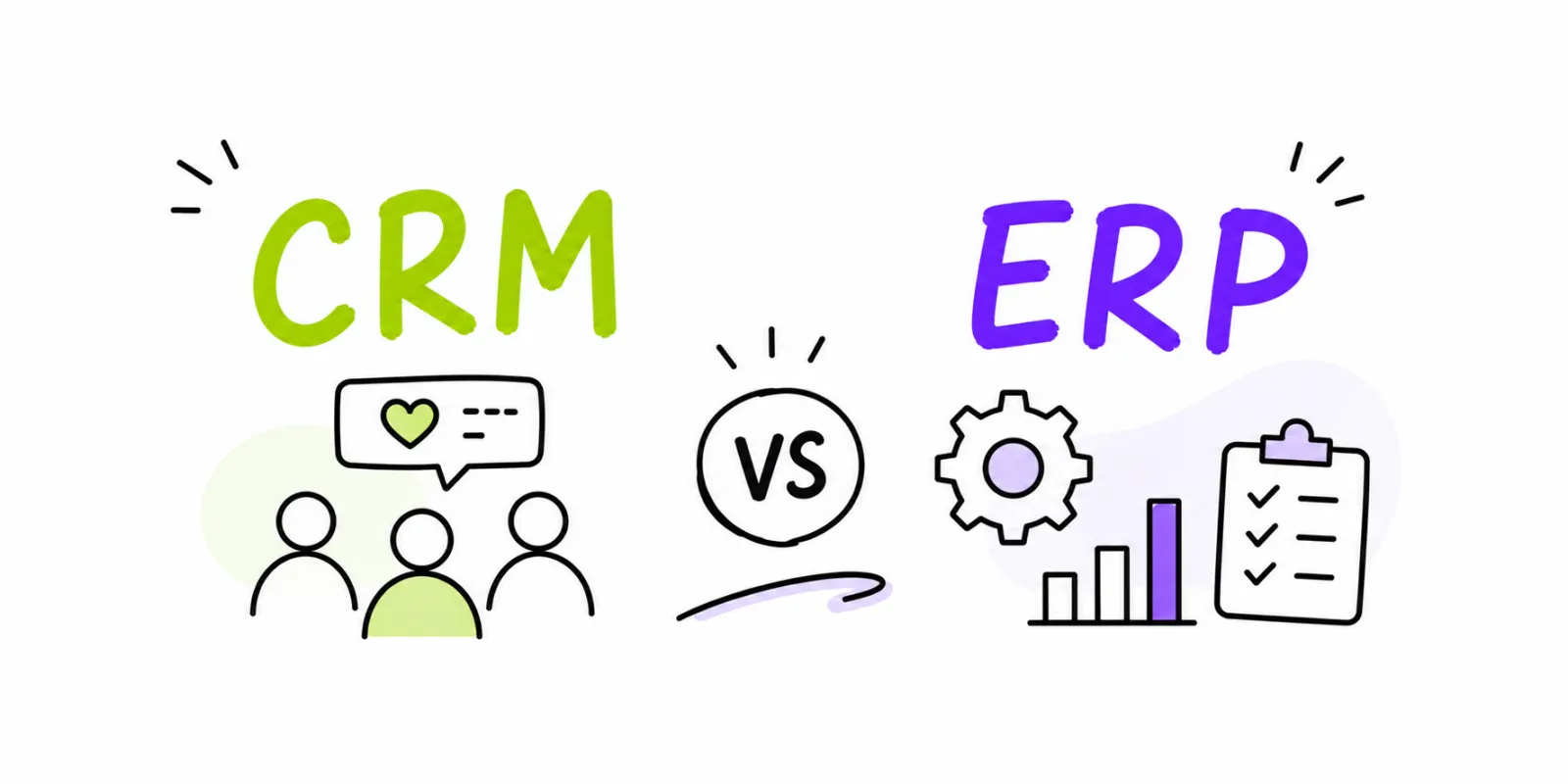
The difference between CRM and ERP is what they manage. A CRM (customer relationship management) system manages your customers and revenue: contacts, deals, pipeline, support. An ERP (enterprise resource planning) system manages your operations and money: accounting, inventory, manufacturing, payroll. CRM is the front office. ERP is the back office.
That’s the whole concept. Everything else is detail – but the detail is where the buying decision lives, so let’s get into it.
What is a CRM?
A CRM is the shared database of everyone your company sells to, plus the tools to move those people through a sales process. Every contact, every email, every call, every deal, every “call me back in Q3” – in one place, visible to the whole team.
Day to day, that looks like: a rep opens the CRM in the morning, sees which deals need a follow-up, logs calls as they happen, and moves deals across a pipeline board. The manager sees the same pipeline and can forecast revenue without asking anyone for a spreadsheet.
Typical examples are Pipedrive, HubSpot, and Salesforce – we’ve tested all three, along with nine other CRMs, as part of our review library. If you’re new to the category, start with our what is a CRM guide.
What is an ERP?
An ERP runs the parts of the business customers never see. One database for finance (general ledger, invoicing, accounts payable), inventory, purchasing, manufacturing, supply chain, and often HR and payroll.
The pitch is “one source of truth for operations.” When a sale happens, the ERP checks stock, triggers fulfillment, raises the invoice, and books the revenue in the ledger – without anyone re-typing data between systems.
Typical examples: NetSuite, SAP, Microsoft Dynamics 365, and Odoo on the more affordable end.
Notice something about that list? ERPs are heavyweight enterprise software with heavyweight price tags. Which brings us to the table.
CRM vs ERP: the key differences
| CRM | ERP | |
|---|---|---|
| Manages | Customers, deals, revenue | Operations, finance, inventory |
| Office | Front office | Back office |
| Primary users | Sales, marketing, support | Finance, operations, warehouse |
| Core data | Contacts, pipeline, activities | Ledger, stock levels, orders |
| Typical cost (mid-2026) | $15–100/user/month | Five to six figures in year one |
| Time to value | Days to weeks | Months to a year+ |
| Examples | Pipedrive, HubSpot, Salesforce | NetSuite, SAP, Dynamics 365, Odoo |
The ten-second mental model: CRM makes you money, ERP saves you money. A CRM grows revenue by making sure no deal slips through the cracks. An ERP cuts cost and error by connecting your operational plumbing.
And the cost difference is not a rounding error. A 10-person team can run a very good CRM for under $500 a month, starting this week. An ERP project for the same company means software licenses plus an implementation partner plus data migration plus training – realistically tens of thousands of dollars and several months before anyone sees value. Vendor pages ranking for this keyword somehow never mention that part.
What CRM and ERP have in common
Both centralize data that used to live in spreadsheets and inboxes. Both automate processes that humans were doing badly by hand. Both promise “a single source of truth,” and both deliver it – for their half of the business.
They’re also both sticky. Whichever one you pick, you’ll be living with it for years, which is exactly why the “which first” question deserves a real answer instead of a vendor shrug.
Do you need a CRM, an ERP, or both?
Here’s the decision framework, no hedging.
Choose a CRM first if you sell services, software, or anything without a warehouse, and your biggest pain is deals slipping, messy follow-ups, or zero pipeline visibility. This is most SMBs. Your accounting is covered by QuickBooks or Xero, and that combination – CRM plus accounting software – is the unglamorous “ERP-lite” stack that quietly runs most service businesses under 50 employees.
Choose an ERP first if you make, stock, or ship physical products and your biggest fire is operational: inventory counts that are always wrong, orders lost between systems, month-end close taking two weeks. A manufacturer with three customers and a chaotic warehouse needs an ERP before it needs a prettier pipeline.
You need both when the handoff between selling and fulfilling becomes the bottleneck. The classic symptom: sales closes a deal in the CRM, then someone re-types the order into the finance system, and the customer gets invoiced for the wrong amount. That re-typing step is where companies usually cross the line – in our experience reading hundreds of SMB software complaints, it tends to happen somewhere past 50 employees or wherever physical inventory meets a real sales team.
| Your situation | Buy this first |
|---|---|
| Service business, deals slipping | CRM |
| SaaS, founder-led sales breaking down | CRM |
| Manufacturer, inventory chaos | ERP |
| E-commerce, growing order volume | ERP (or an ERP-ish suite) |
| 50+ people, re-typing orders between systems | Both, integrated |
CRM and ERP integration: how they work together
When companies run both, the connection point is quote-to-cash. The CRM owns everything up to the closed deal: lead, demo, proposal, signature. The moment the deal closes, the ERP takes over: check inventory, fulfill, invoice, collect, book revenue.
Integration options, from simplest to heaviest:
- Native connectors. Most major CRMs ship pre-built integrations to popular ERPs (HubSpot to NetSuite, Salesforce to SAP). Easiest path if your pairing exists.
- iPaaS middleware. Tools like Zapier, Make, or Workato sit between the two and sync records. More flexible, more maintenance.
- Single-suite platforms. NetSuite and Dynamics 365 bundle CRM and ERP modules in one system. Less integration work, but you’re judging two products by one logo – and in our experience the CRM module of an ERP suite is rarely as good as a dedicated CRM.
Sync the minimum: customers, closed deals, invoices, payment status. Sales reps don’t need ledger access. They need to know whether the customer paid.
Is it a CRM or an ERP? The big vendors, sorted
Half the confusion around CRM vs ERP comes from vendor branding, so here’s the cheat sheet.
| Vendor | Category |
|---|---|
| Salesforce | CRM |
| SAP | Primarily ERP (also sells CRM) |
| NetSuite | ERP with a CRM module |
| Microsoft Dynamics 365 | Both, sold as separate modules |
| Oracle | ERP (plus a CRM line) |
| HubSpot, Pipedrive | CRM |
| QuickBooks, Xero | Neither – accounting software |
Salesforce is a CRM. Don’t take our word for it – Salesforce’s own blog states it does not provide an ERP product. Companies on Salesforce integrate a separate ERP behind it.
SAP is the opposite case: primarily an ERP company that also sells customer experience products. When someone says “we run SAP,” they mean the ERP.
NetSuite is an ERP that bundles a CRM module. Workable if you live in NetSuite already; nobody picks it for the CRM alone.
Dynamics 365 is Microsoft’s modular answer: Dynamics 365 Sales is the CRM, Finance and Business Central are the ERP side. You buy the modules you need.
CRM vs ERP vs SCM (and the rest of the acronym soup)
Quick definitions so the next vendor call doesn’t snow you:
- SCM (supply chain management): planning and moving goods from suppliers to customers. Usually an ERP module rather than a separate purchase at SMB scale.
- HRIS (human resources information system): employee records, payroll, benefits. Also frequently folded into ERPs.
- CMS (content management system): runs your website (WordPress). Nothing to do with CRM despite the two shared letters.
If you’re under 200 employees, you can safely ignore standalone SCM and focus on the CRM/ERP decision above.
CRM vs ERP FAQ
Is Salesforce a CRM or ERP?
A CRM. Salesforce itself says it does not offer an ERP product – its core is the Customer 360 CRM platform. Read our Salesforce review for where it fits (and doesn’t fit) SMB teams.
Is SAP a CRM or an ERP?
Primarily an ERP company. S/4HANA, Business One, and Business ByDesign are ERPs. SAP sells CRM products too, but the ERP is the flagship.
Is Excel a CRM software?
No, though it’s where almost everyone starts – us included. Spreadsheets can hold contacts, but they can’t remind you to follow up, log emails, or give two reps a shared view of the same deal. The moment a second person touches your sales process, the spreadsheet starts costing you deals.
What is CRM with an example?
A CRM is software that keeps every customer interaction in one shared place. Example: a 10-person agency on Pipedrive sees each prospect as a card on a pipeline board – every email, call note, and proposal attached, with an automatic reminder when a deal goes quiet. No more “who was supposed to follow up with them?” For more, see our CRM examples walkthrough.
What are the 4 types of CRM?
- Operational – automates sales, marketing, and service workflows
- Analytical – turns customer data into insights
- Collaborative – shares customer info across departments
- Strategic – orients the whole business around customer relationships
In practice, every SMB tool you’d shortlist (Pipedrive, HubSpot, etc.) is an operational CRM with analytical features included.
Can a CRM replace an ERP?
No – there’s no ledger, inventory, or payroll in a CRM. But CRM + accounting software covers most service businesses for years, which is the cheaper question to ask first.
The verdict (CRM Pickle take)
If you’re under ~50 employees and don’t hold inventory: get a CRM now, skip the ERP, and let QuickBooks or Xero be your back office. That stack costs a few hundred dollars a month and you’ll feel the difference in your pipeline within a month. Start with our best sales CRM ranking.
If you manufacture or ship physical products: the ERP conversation is legitimate, and the CRM can wait until your sales team outgrows founder-led selling.
And if a vendor tells you that you need both, on day one, as a bundle? Remember who’s holding the scissors.
Related reads: What is a CRM? · Best sales CRM for SMBs · Pipedrive review · HubSpot review