


Capsule CRM is the right pick for a 5–20 person sales team that wants a clean, no-fuss CRM without a three-week onboarding process. It’s the wrong pick if you need serious automation, deep reporting, or two-way email sync – because it doesn’t deliver those things, even on the top plans.
We’ve tested Capsule alongside the other CRMs we review on this site. Here’s what we found.
Quick Summary
Best for: Small sales teams (5–20 people) that need a simple pipeline and solid contact management
Avoid if: You need complex automations, two-way email sync, or advanced reporting
Free plan: Yes – 2 users, 250 contacts
Paid plans: $18–$54/user/month
Trial: 14 days free on paid plans
The short version: Capsule does the basics well and gets out of your way. That’s genuinely its best feature. If your sales process is straightforward and you’re coming from spreadsheets or a bloated CRM that nobody uses, Capsule is a serious contender. Just go in knowing what it won’t do.
What is Capsule CRM?
Capsule is a contact-first CRM built for small businesses. It was founded in 2009 by Andy Cockburn and Duncan Stockdill in Manchester, UK. The company – Zestia Ltd – also owns Transpond, an email marketing tool that integrates directly with Capsule.
The product is used by 10,000+ businesses worldwide. It received external investment backing in recent years, which explains why the feature set has expanded noticeably since 2022. G2 rates it 4.7/5 from 488+ reviews, making it one of the higher-rated simple CRMs in that space.
The core value proposition hasn’t changed: Capsule is a lightweight CRM that treats your contacts as the centre of everything. You get a clear view of every relationship – emails, notes, tasks, documents, deals – without the interface complexity of Salesforce or HubSpot.
Capsule CRM pricing: is it worth the cost?
Capsule has five tiers. Here’s the quick comparison before we go tier by tier.
| Plan | Price | Users | Contacts | Automations | Reporting |
|---|---|---|---|---|---|
| Free | $0 | 2 | 250 | No | Basic |
| Starter | $18/user/month | 5 | 30,000 | No | Basic |
| Growth | $36/user/month | 10 | 60,000 | Yes | Advanced |
| Advanced | $54/user/month | 20 | 120,000 | Yes | Advanced |
| Ultimate | Custom | Unlimited | Custom | Yes | Custom |
Free plan – what you actually get
The free plan supports 2 users and 250 contacts. It includes basic contact and opportunity management, 5 custom fields, one sales pipeline, and an email connection for logging activity. It’s genuinely useful for a solo founder or two-person consultancy – but you’ll hit the contact limit fast if you have an active pipeline.
Worth knowing: automations and advanced reporting aren’t available on free. Neither are email templates. If you need any of those things, free won’t cut it.
Starter – $18/user/month
Starter opens up email templates, a shared mailbox, basic reporting, premium integrations, and an AI pipeline generator. The contact limit jumps to 30,000 and you can have up to 5 users.
For most small teams moving from spreadsheets, Starter is enough. The jump from free to Starter is the most meaningful upgrade Capsule offers.
Growth – $36/user/month
Growth is where Capsule gets interesting for teams with more complex sales processes. You get workflow automations, advanced sales reporting, reporting dashboards, multiple sales pipelines, project management, and a set of AI features (summaries, business enrichment, contact enrichment). User limit increases to 10, contacts to 60,000.
If your team needs to automate follow-up sequences or run multiple pipelines simultaneously, this is the plan you need. Not the Starter.
Advanced – $54/user/month
Advanced increases the limits significantly: 50 sales pipelines, 50 project boards, 120,000 contacts, 20 users. For most SMBs, the Growth plan’s limits are already generous – Advanced is really for agencies or teams managing multiple client pipelines.
Ultimate – custom pricing
Ultimate adds an account manager and custom training. Price isn’t published; you’d need to contact Capsule’s sales team. This tier is aimed at larger organisations that need white-glove onboarding.
How does Capsule’s pricing compare?
Capsule Starter at $18/user/month sits in the same range as Pipedrive Essential ($14) and HubSpot Starter ($20). What you give up versus Pipedrive at this price point: Pipedrive has stronger pipeline management and email sequences on its lower tiers. What you gain: Capsule is simpler and faster to set up.
Against HubSpot, the comparison gets less flattering. HubSpot’s free CRM is far more generous – unlimited contacts, more users, and stronger marketing tools. But HubSpot also gets expensive quickly once you need anything beyond the basics.
Bottom line on pricing: Capsule is genuinely affordable and the value is real at Starter. The Growth tier is worth it if you need automations. Don’t pay for Advanced unless you specifically need the higher limits.
Key features breakdown
| Feature | Available from | Notes |
|---|---|---|
| Contact management | All plans | Unlimited people/org records; timeline of all activity |
| Sales pipeline (1) | All plans | Kanban view, drag-and-drop |
| Multiple pipelines | Growth+ | Up to 50 on Advanced |
| Email logging (BCC/forward) | All plans | No two-way sync on any plan |
| Email templates | Starter+ | – |
| Workflow automations | Growth+ | Task creation, stage changes, notifications |
| Advanced reporting | Growth+ | Pipeline value, activity, goal tracking |
| AI features | Growth+ | Contact enrichment, summaries, pipeline generator |
| Project management | Growth+ | Up to 50 boards on Advanced |
| Transpond integration | All plans | Separate subscription required |
| Mobile app (iOS/Android) | All plans | Read/log on the go; no config from mobile |
| Zapier / Make | All plans | Via API or native connectors |
Contact management
This is where Capsule is strongest. Every contact – person or organisation – gets a full activity timeline: emails, notes, calls, tasks, documents, and open opportunities. You can separate individuals from companies and link people to their organisation, which keeps the database clean.
Custom fields let you tag contacts with your own data points (industry, lead source, budget – whatever matters to your process). You get 5 on the free plan, more on paid.
One thing we like: Capsule’s duplicate detection actually works. It flags potential duplicates when you import or create contacts, which saves the usual cleanup headache after an import.
Sales pipeline management
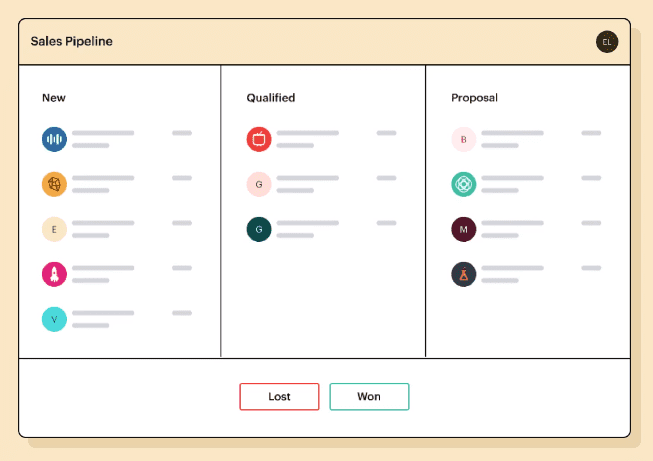
The pipeline is a Kanban board – drag cards through stages, track deal values, set close dates. Nothing fancy, and that’s fine. It does what a pipeline should do without adding noise.
On Growth and above, you can run multiple pipelines simultaneously. Useful if you have separate processes for new business versus renewals, or if you’re an agency managing different clients.
What’s missing: deal-level email sequences aren’t built in. You can log emails and set tasks, but automated follow-up cadences aren’t a native Capsule feature – you’d need Transpond or a third-party integration for that.
Task and activity tracking
Capsule’s task management is solid. You can create tasks linked to contacts, opportunities, or cases, set due dates, assign to team members, and track completion. The activity feed gives you a chronological view of everything that’s happened on a contact.
This is genuinely useful for a small team that needs to stay organised without a full project management tool. The task list is clean, and the daily reminder emails are a nice touch for keeping follow-ups on track.
Email sync and tracking
Here’s the limitation to understand before you buy: Capsule syncs emails by BCC or forward – it does not offer two-way email sync, even on top-tier plans. That means emails you send from Gmail or Outlook appear in Capsule only if you manually BCC or use the browser extension. Incoming replies aren’t automatically logged.
This is a real gap if your sales team lives in email and needs a complete conversation thread without manual intervention. Every other CRM at this price point – Pipedrive, HubSpot, Zoho – handles two-way sync.
You do get an email open and click tracking feature on paid plans (via Capsule’s email connection), which is useful. But don’t go in expecting full email sync.
Automations
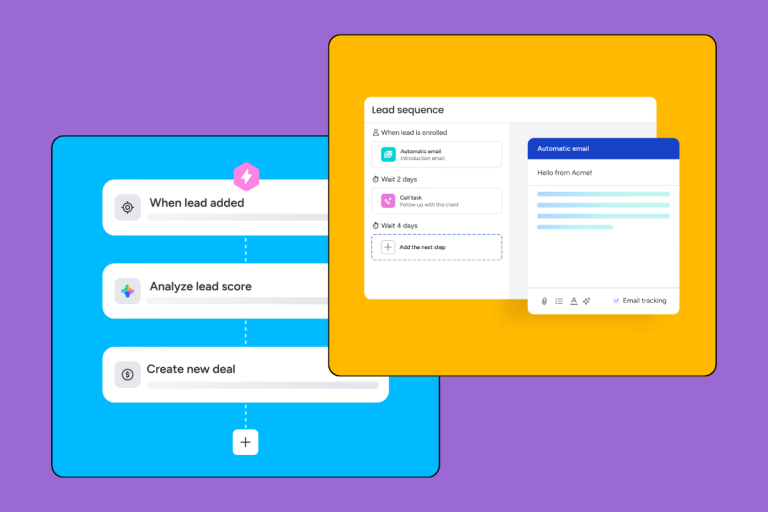
Workflow automations are available from the Growth plan ($36/user/month). You can automate task creation, contact updates, pipeline stage changes, and basic notifications. The automation builder is straightforward – trigger, condition, action – and doesn’t require technical knowledge to set up.
What it isn’t: Capsule isn’t a marketing automation platform. For email sequences, drip campaigns, or lead nurturing workflows, you’d use Transpond (Capsule’s sister product) or a dedicated tool. Capsule’s native automations cover sales workflow tasks, not marketing outreach.
Reporting and dashboard
Basic reporting is included from Starter. Growth adds advanced sales reporting – pipeline value by stage, activity reports, goal tracking, team performance. The dashboards are clean and readable.
What’s not here: custom report builders, cohort analysis, revenue attribution, or anything approaching the depth of HubSpot’s or Salesforce’s reporting. For a small sales team tracking pipeline value and win rates, Capsule’s reporting is adequate. For an ops team that needs to slice data across multiple dimensions, it isn’t.
Integrations: Google Workspace, Microsoft 365, Xero, and more
Capsule integrates with 70+ apps via its marketplace. The most useful ones:
Google Workspace – the Gmail and Google Calendar integrations work well. Emails can be logged via the Chrome extension, contacts sync bidirectionally, and calendar events appear in Capsule. If your team runs on Google, this integration is smooth.
Microsoft 365 – similar story for Outlook and Microsoft Calendar. The integration logs emails and syncs contacts. Less polished than the Google version in our experience, but functional.
Xero – if you use Xero for accounting, the Capsule integration pulls invoice data directly into contact records. Useful for knowing a customer’s payment history without leaving the CRM.
Transpond – Capsule’s email marketing integration is through Transpond (formerly Zymplify). If you want to send email campaigns or drip sequences to Capsule contacts, Transpond is the natural pairing. It’s a separate subscription, though – not included in Capsule’s pricing.
Zapier and Make – for anything not covered natively, Zapier and Make open up a wide range of automation options. The Capsule API is solid if your team has development resources.
What isn’t available: native phone/VoIP integration, built-in video calling, or a built-in marketing automation layer. These all require third-party tools.
Mobile app
Capsule’s iOS and Android apps are better than average for this price tier. You get full contact and pipeline access, the ability to log calls and notes on the go, and offline access to your most recent data.
The apps aren’t feature-complete – you can’t run reports or configure automations from mobile – but for a sales rep who needs to log a call or check deal status between meetings, they work well. The interface is clean and mirrors the desktop experience closely.
Ease of use
Capsule’s biggest selling point – and it genuinely earns this one. New users can be up and running in an afternoon. The interface doesn’t hide basic functions behind menus, the onboarding flow is guided without being tedious, and importing contacts from a CSV takes about five minutes.
The contrast with HubSpot or Salesforce is stark. Those tools are powerful but they require real setup time and often a dedicated admin. Capsule requires neither. For a founder-led sales team or a small company where nobody has time to become a CRM expert, that matters.
The flip side: the simplicity has a ceiling. Teams that grow beyond 20 people, or that develop more complex sales processes, often find Capsule’s structure too rigid. Multiple pipelines, project boards, and AI enrichment help – but the fundamental simplicity that makes Capsule easy to start with is also what limits it later.
Customer support
Capsule offers email support on all plans. Response times are generally good – within a business day in our experience, faster for billing issues.
What’s missing at lower tiers: live chat. Email-only support is a real gap when you’re stuck on something time-sensitive. Live chat becomes available on higher plans. The documentation and help centre are thorough and well-organised, which reduces how often you need to contact support in the first place.
Ultimate plan subscribers get a dedicated account manager, which is a meaningful upgrade if you’re onboarding a larger team.
Who should use Capsule CRM?
Choose Capsule if:
- You’re a 5–20 person team moving from spreadsheets or a clunky legacy CRM
- Your sales process is relationship-driven and relatively simple – conversations, follow-ups, deal tracking
- You use Google Workspace and want a CRM that doesn’t require a dedicated admin to set up
- You’re price-sensitive and want solid basics without paying for features you won’t use
- You’re a freelancer or solo consultant who needs structured contact management (use the free plan)
Avoid Capsule if:
- You need automated email sequences built into your CRM – this isn’t that
- Two-way email sync is non-negotiable for your team
- You have a complex, multi-stage sales process with conditional automation
- Your reporting needs go beyond pipeline value and win rate
- Your team is already above 20 people and growing fast
Capsule CRM pros and cons
| ✅ Pros | ❌ Cons |
|---|---|
| Genuinely easy to set up – no IT support needed | No two-way email sync on any plan |
| Clean interface sales reps actually adopt | Automations locked to Growth ($36/user/month) |
| Competitive pricing at Starter; usable free plan | Email marketing needs a separate Transpond subscription |
| Strong contact management with full activity timelines | Reporting thin vs Pipedrive or HubSpot at similar prices |
| Solid Google Workspace and Xero integrations | Live chat support not available on Starter |
| Mobile app works well for field sales | Free plan capped at 250 contacts |
| G2 rating 4.7/5 from 488+ reviews | No built-in phone/VoIP or email sequencing |
Verdict: is Capsule CRM worth it?
For the right buyer, yes. Capsule is a well-built, honest product. It’s priced fairly, it’s easy to use, and it doesn’t try to be everything to everyone – which is exactly what makes it good at what it does.
If you’re a small sales team that needs to track relationships and move deals through a pipeline without building a CRM architecture, Capsule delivers. The free plan is worth starting with to test the interface. If you need automations, go straight to Growth.
If you need email sequences, deep automation, or full email sync, look at Pipedrive or HubSpot – both handle those things better. But you’ll also pay more and spend more time on setup.
Score: 3.9 / 5
Alternatives to Capsule CRM
| CRM | Starting price | Free plan | Two-way email sync | Automations | Best for |
|---|---|---|---|---|---|
| Capsule | $18/user/month | Yes (2 users) | No | Growth+ ($36) | Simple pipeline, small teams |
| Pipedrive | $14/user/month | No | Yes | Essential+ | Deal-driven sales, sequences |
| HubSpot | $20/user/month | Yes (unlimited contacts) | Yes | Starter+ | CRM + marketing in one tool |
| Monday CRM | $12/user/month | No | Yes | Basic+ | Workflow-heavy, cross-team |
| Less Annoying CRM | $15/user/month (flat) | No | No | All plans | Simplest option, no tier gates |
Pipedrive review – Better pipeline management, stronger email automation, and more advanced reporting. Starts at $14/user/month. The better choice if your sales process is deal-driven rather than relationship-driven.
HubSpot CRM review – More generous free plan (unlimited contacts), stronger marketing tools, and a deeper feature set. Gets expensive fast as you add functionality. Better for teams that need CRM and marketing automation in one tool.
Monday CRM review – More customizable workflow management, better for cross-team visibility and project-heavy sales processes. More complex to set up. Better if your “sales” process involves multiple stakeholders and long deal cycles.
Less Annoying CRM – A fair comparison at the simple/affordable end. $15/user/month flat, unlimited contacts, no tiered feature gates. Worth considering if Capsule’s tier structure is frustrating and you need basic features for everyone without upgrading.
Pricing verified as of May 2026. All prices in USD, billed monthly. Annual billing reduces the per-user monthly cost – check Capsule’s pricing page for current rates.