


Monday.com built its reputation on project management. Then it launched a CRM. The question is whether a CRM that grew out of a project management tool is the right fit for your sales team.
Based on our analysis of hundreds of verified user reviews across G2, Capterra, and Reddit’s community, plus a detailed look at pricing, feature depth, and how Monday CRM compares against purpose-built alternatives: it’s a capable tool with real strengths and a clear ceiling.
Here’s everything you need to decide.
Quick verdict
Monday CRM is best for: Visual teams, agencies, and SMBs already inside the Monday.com ecosystem who need a flexible pipeline without a dedicated sales CRM.
Skip it if: Your sales team runs outbound sequences, needs deep pipeline reporting, or is evaluating CRM-first tools like Pipedrive or HubSpot.
Starting price: from $15/user/month (billed annually) · Free plan: yes, 2 seats max · Trial: 14 days on paid plans
What is Monday CRM?
This is where it gets confusing – and worth clearing up before anything else.
Monday.com has two distinct products: Monday Work Management (the original, launched in 2014) and Monday Sales CRM, the dedicated CRM module that monday.com pushed as a standalone product from 2022 onward. They share the same visual interface and can be linked, but they’re priced separately and serve different purposes.
Monday Work Management is for organizing projects, tasks, sprints, and team workflows. Monday Sales CRM is specifically for managing contacts, deals, pipelines, and sales activity. If you search “monday crm” and land on monday.com, make sure you’re looking at the Sales CRM product – not the Work Management plan with a CRM board bolted on.
The distinction matters because a lot of the mixed reviews online conflate the two. Someone complaining that “monday.com doesn’t work as a CRM” is often talking about using Work Management boards to track deals – which works, but isn’t Monday Sales CRM.
The dedicated CRM includes: contact and lead management, visual deal pipelines, two-way email sync, sales automations, activity logging, and basic reporting. That’s a complete CRM feature set at the surface level. Whether the depth matches what your team needs is a different question.
Monday CRM key features – what users say
Pipeline management and deal tracking
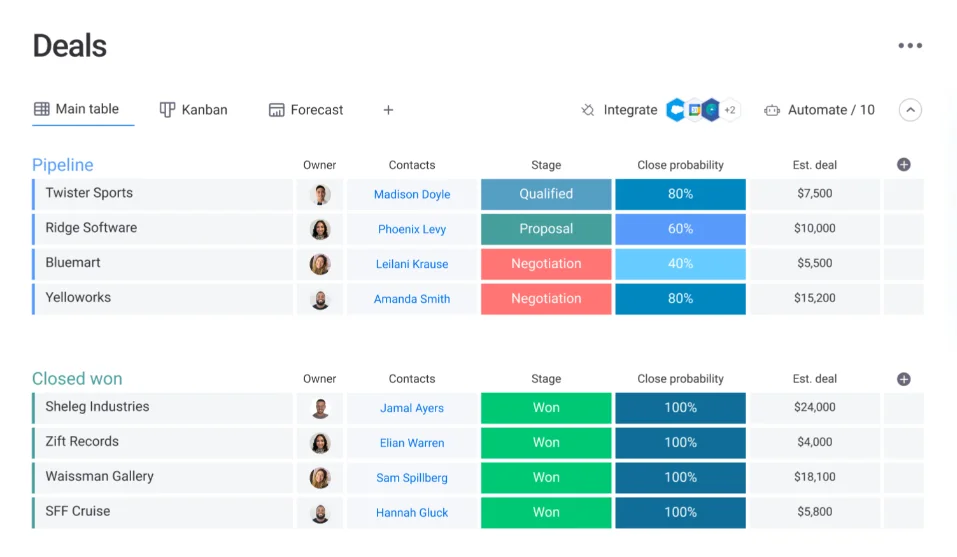
This is where Monday CRM genuinely earns its praise. The pipeline view is visual, drag-and-drop, and easy to configure. You can set up custom stages, add deal value fields, and move deals across stages without friction.
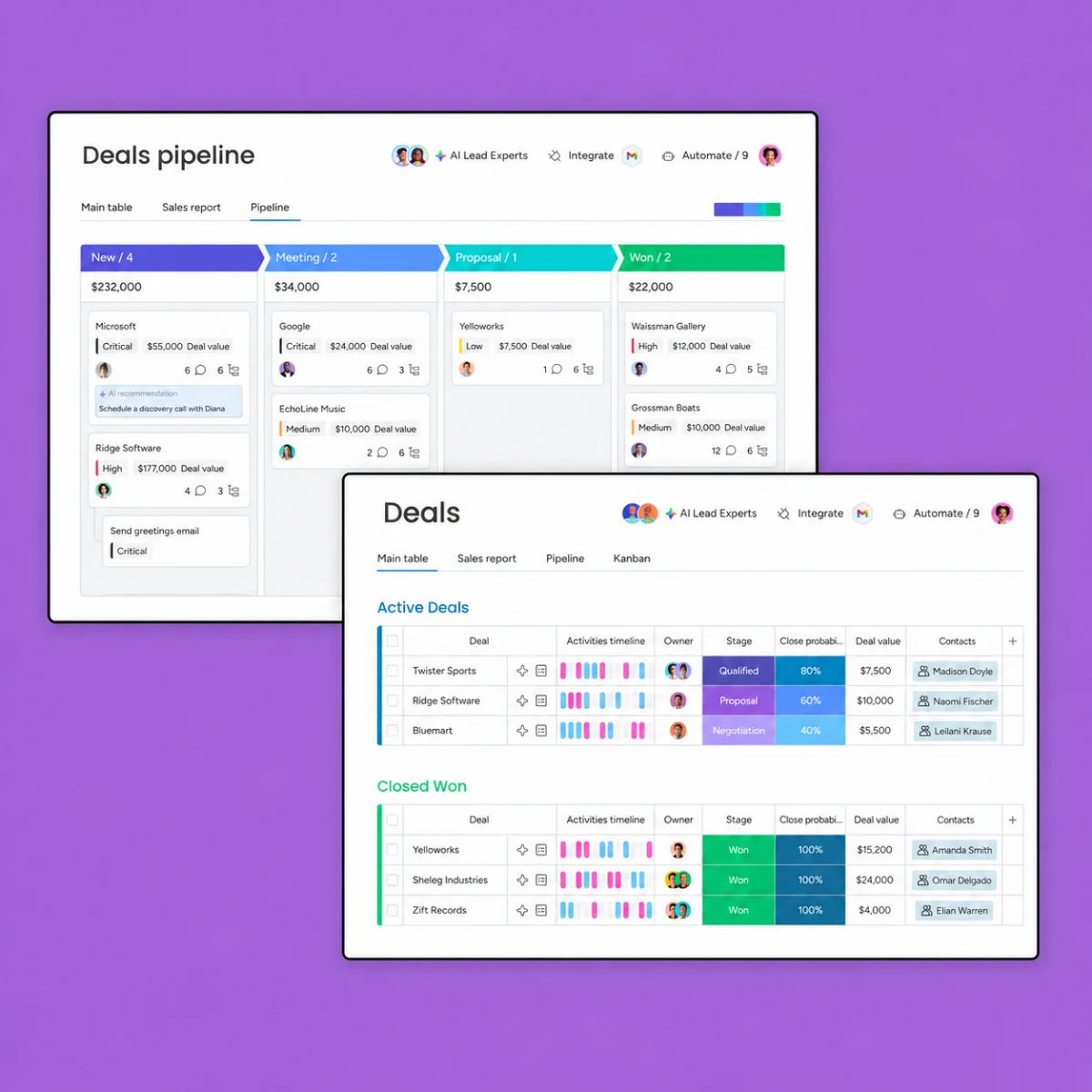
User reviews on G2 consistently highlight the pipeline as a strength: reviewers describe it as “the most visual CRM I’ve used” and note that the kanban-style layout makes it easy to see what’s stuck and what’s moving. For teams where the sales manager needs to run a weekly pipeline review, the visual layout works well.
The catch: pipeline customization comes with complexity costs. Because Monday CRM is infinitely configurable, it’s also easy to over-engineer. Multiple users in community threads note that their Monday CRM became a maintenance project – custom automations breaking, stages multiplying, new reps needing full onboarding just to understand the board structure. With Pipedrive or HubSpot, the pipeline is more opinionated. Monday gives you the blank canvas.
Contact management and activity logging
Contact records in Monday CRM are more functional than elegant. You can store contact details, link deals and companies, log calls and emails, and attach notes. The two-way email sync (via Gmail or Outlook) means sent and received emails appear against the contact record automatically – which is table stakes for any CRM worth using.
Where it falls short: contact search and bulk management. Users who’ve migrated from Salesforce or HubSpot frequently mention that finding contacts, running segmented contact lists, or doing bulk updates is more clunky in Monday CRM than in purpose-built options. For a 20-rep team managing thousands of contacts, that friction adds up.
Automations
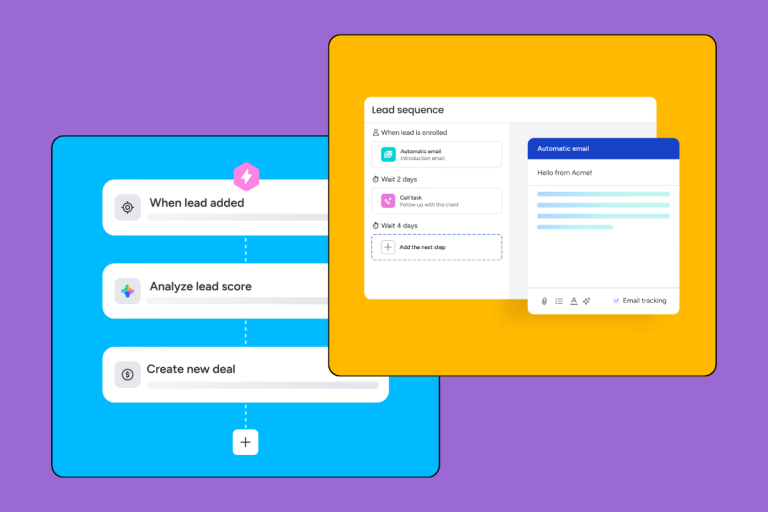
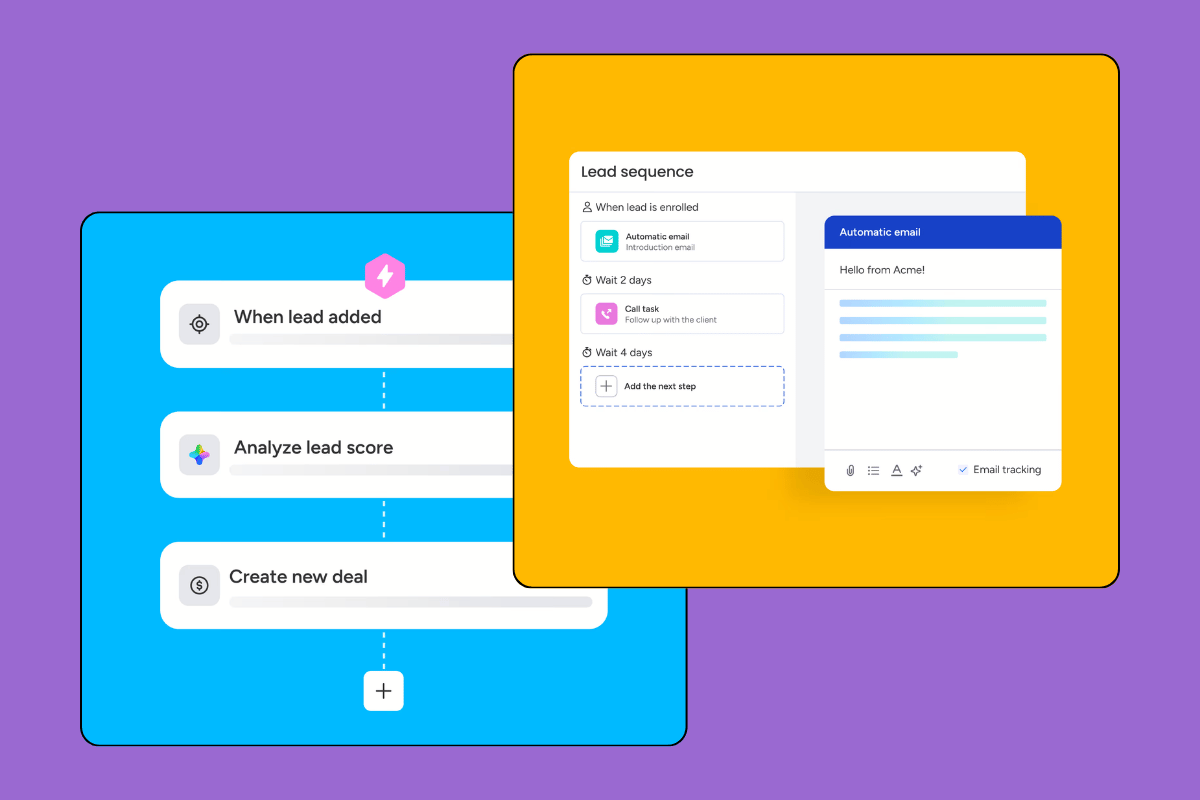
Monday CRM’s no-code automation builder is one of its genuine differentiators. You can set up triggers, conditions, and actions visually, without writing a line of code. Common automations: move a deal to “Proposal Sent” when an email is sent, notify a rep when a deal hasn’t been updated in 7 days, create a follow-up task when a deal stage changes.
The automation library is substantial, and users consistently rate this as a highlight – especially for operations-minded teams who want workflows without a developer. The catch is gating: automations are limited on the Basic plan and only become fully usable on Standard and above.
Email sequences – the missing piece
This is the single most common complaint in Monday CRM reviews from sales teams: there are no native email sequences or cadences. You can log emails, sync your inbox, and trigger one-off automations – but if your team runs outbound prospecting with multi-step email sequences, Monday CRM doesn’t have that.
For comparison: HubSpot’s Sales Hub includes sequences at the Starter tier. Pipedrive has an email sequencer add-on. Monday CRM has neither. Teams that need outbound sequencing will have to integrate a separate tool (like Lemlist or Outreach), which adds cost and complexity.
If your sales process is primarily inbound (receiving leads and managing deals) rather than outbound (prospecting cold contacts), this gap won’t matter. If it is outbound, it’s a dealbreaker.
Ready-to-go workflow templates
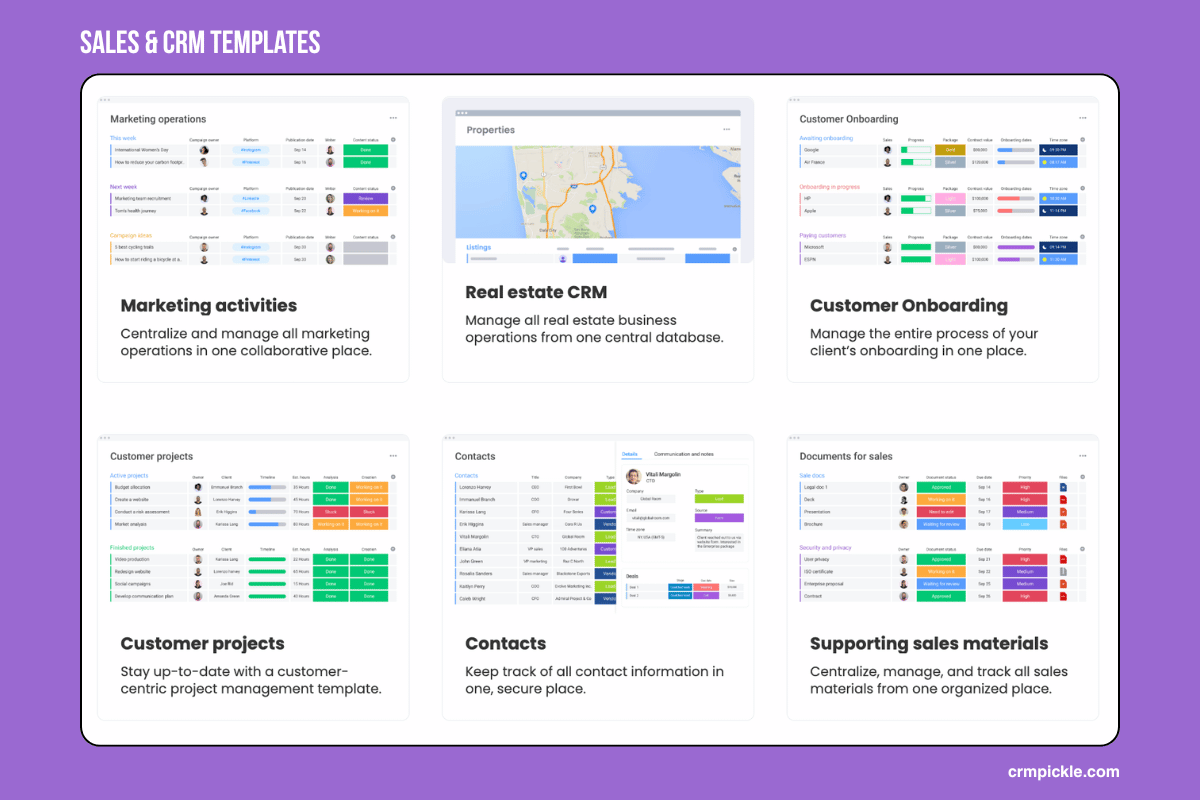
Monday is very easy to customize for your company. It offers a wide range of ready-made templates useful for sales, marketing, internal project management, and client projects. Additionally, you’ll find statistics templates here, allowing you to create a dashboard with a snapshot of the most important numbers in your company or department.
Reporting and dashboards
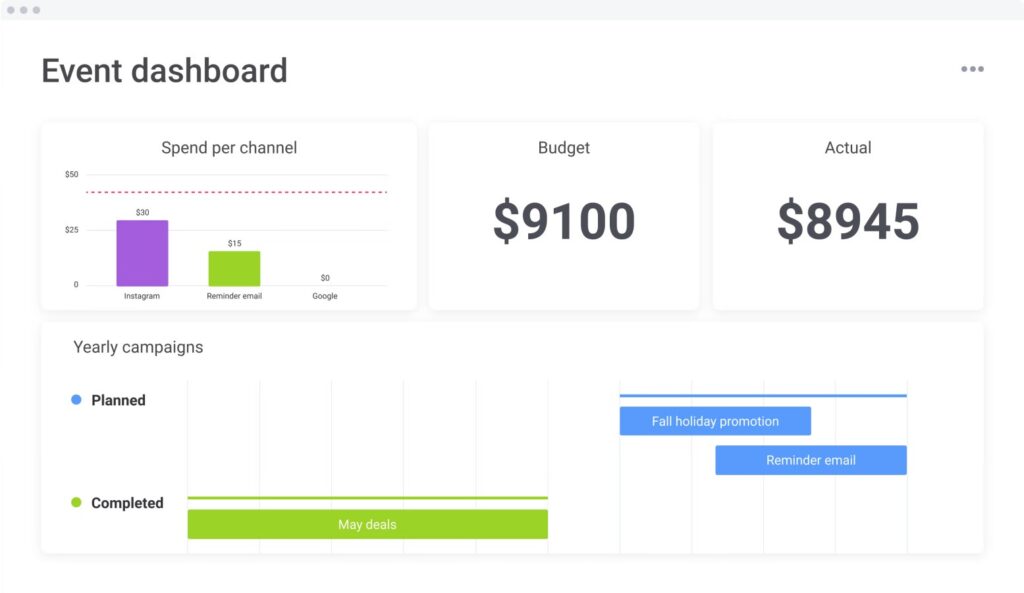
Monday CRM has a dashboard layer where you can pull together charts, deal summaries, leaderboards, and activity metrics. The dashboards look polished. The depth is limited.
Sales managers who’ve used Salesforce or even HubSpot’s paid reporting tiers find Monday’s reporting surface-level. You can answer “how many deals are in each stage?” You’ll struggle with “what’s the average deal age for deals that closed in Q1, broken down by rep and source, with conversion rate by stage?” That kind of report requires the Enterprise plan or custom integration with a BI tool.
For a small team doing basic pipeline tracking, the reports are fine. For a sales manager who lives in reporting, they’re not.
Most important features
| Elastyczność i możliwość dostosowania Monday CRM pozwala na prawdziwą customizację procesów sprzedażowych i skalowanie bez konieczności korzystania z pomocy programistów. |
|
| Intuicyjny interfejs i łatwość użycia Recenzje użytkowników chwalą Monday sales CRM za przyjazny interfejs oraz intuicyjną nawigację i obsługę, co ułatwia szybkie wdrożenie systemu. |
|
| Zaawansowane funkcje automatyzacji Monday daje wiele możliwości automatyzacji procesów, np. przypisywania zadań, przenoszenia ich między grupami czy wysyłania powiadomień email/SMS na podstawie zdefiniowanych reguł. |
|
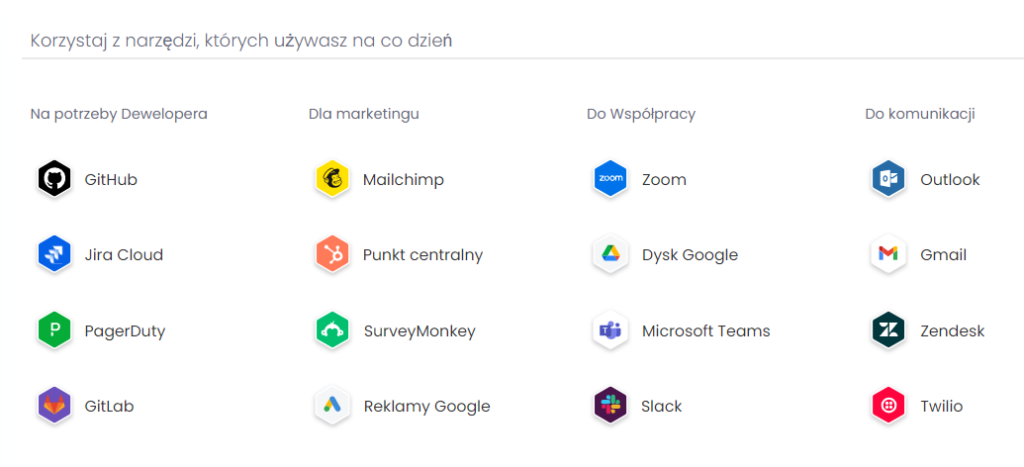
| 100+ integrations and open API The system allows you to import data from many popular tools, including Outlook, Gmail, Zapier, WooCommerce, Salesforce, and Mailchimp, via an open API. |
 |
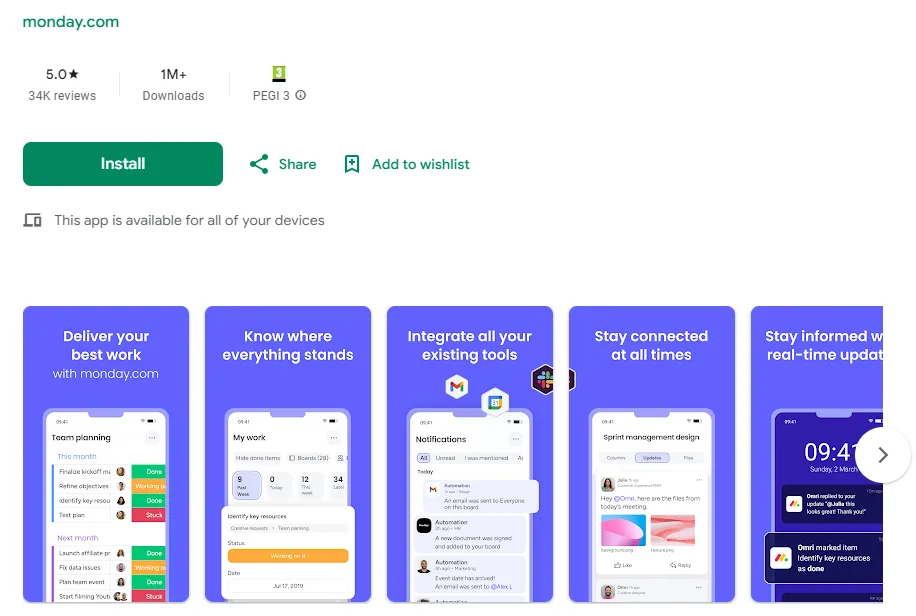
| Mobile App The availability of mobile apps for iOS and Android allows sales teams to work with CRM in the field and stay connected with their team. |
 |
| Dashboards Analytic dashboards combine data from multiple dashboards, providing you with ready-made, detailed information and reports on your sales activities. |
 |
| Ready-made templates For managing leads, contacts, and transactions. They facilitate the organization of work and data related to potential customers and sales offers. |
|
| Tracking Deals and Sales Opportunities Monday allows you to monitor and manage sales opportunities, track progress, and close leads. |
 |
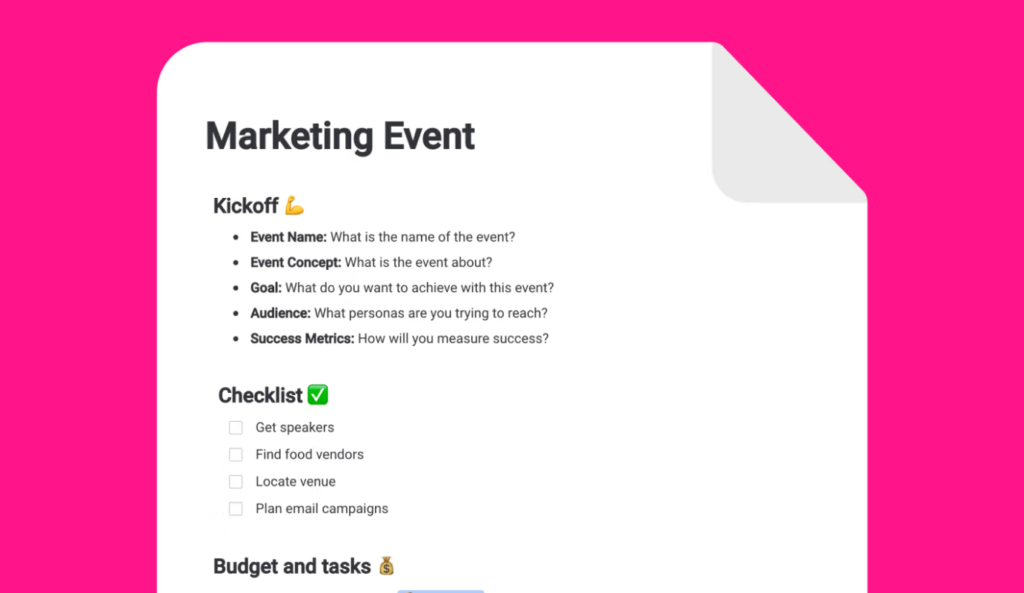
| Task checklists Thanks to them, you can create formal processes and an internal intranet with educational materials. |
 |
Monday CRM pricing
Free plan is available only for Monday Management (not a CRM) with a limit of 2 seats max, no automations, no reporting.
Here’s the pricing.
Verify these prices at official website before you publish or decide – CRM pricing changes frequently. See current Monday CRM pricing →
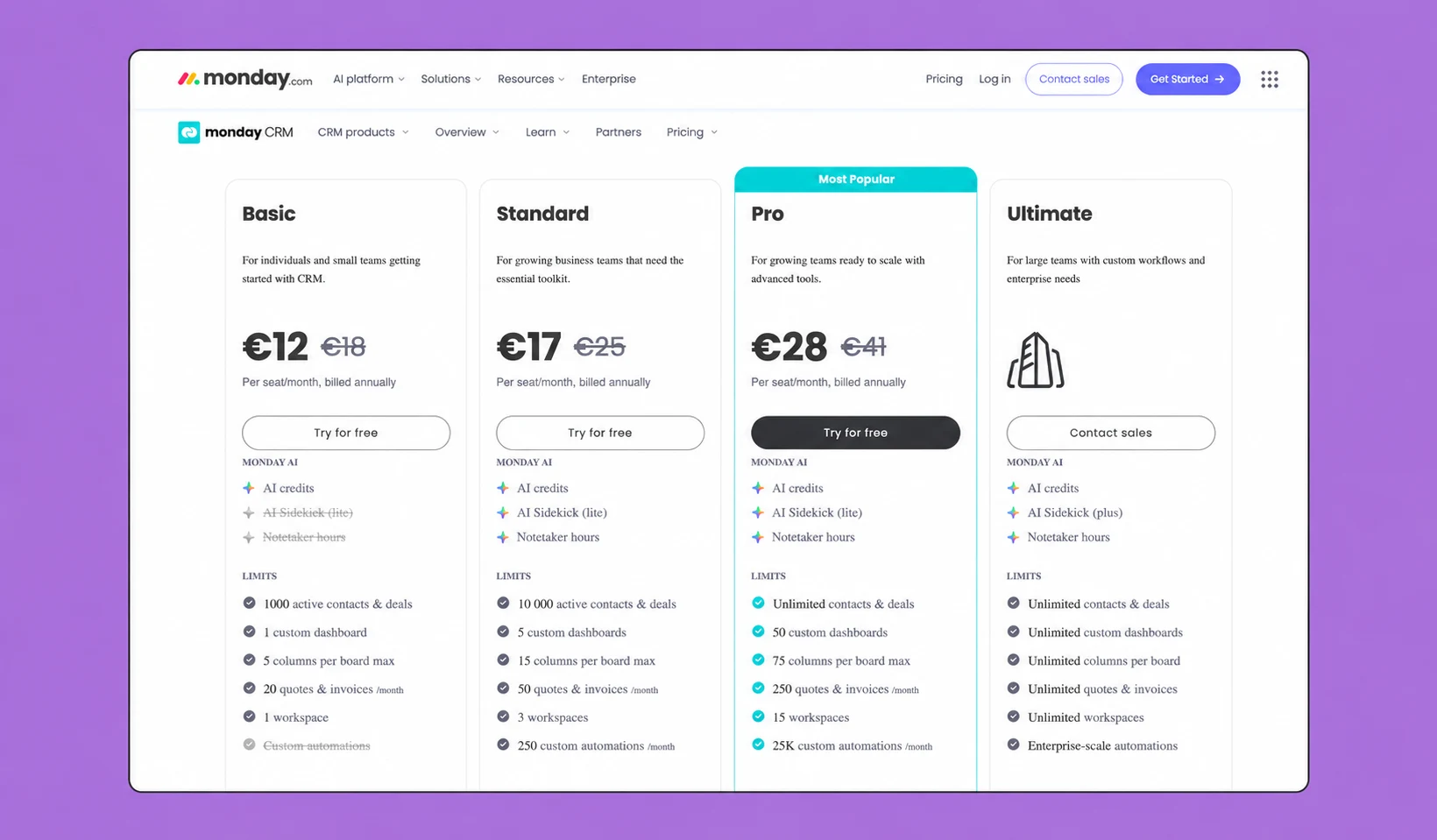
Verify these prices at official website before you publish or decide – CRM pricing changes frequently. See current Monday CRM pricing →
The per-seat model is Monday CRM’s biggest pricing pain point for SMBs. A 10-person team on the Standard plan is $200/month ($2,400/year) before any add-ons. That’s not outrageous, but it’s notable when Pipedrive’s Essential plan runs the same 10 people at $150/month with a more opinionated (and arguably better) CRM feature set.
The jump from Standard to Pro is steep – from $20 to $33 per user. For a 10-person team, that’s a $1,560/year difference. The main additions at Pro are unlimited automations and advanced reporting. If you need those, you’re paying for them.
The free plan deserves a direct assessment: it’s essentially a trial with two seats. No automations. No reporting. You can see the interface and enter contacts, but you can’t build a real workflow on it. Don’t plan a serious CRM operation around the Monday free plan.
For annual vs monthly billing: Monday CRM discounts ~18% for annual billing. If you’re committed to the platform, annual makes sense. If you’re evaluating, the 14-day free trial on paid plans is a better starting point than committing to monthly.
Who should use Monday CRM?
This is the section most review sites get wrong – either by being too positive (every team should use this!) or by dismissing it entirely. Neither is accurate.
Monday CRM is genuinely a good fit if:
Your team already uses Monday Work Management. The integration between the two products is seamless – you can link deals to project boards, assign tasks from deal records, and keep your sales and delivery teams in the same tool. For agencies or consultancies where sales and project delivery overlap, this is Monday CRM’s strongest argument.
You’re a small team (5–15 people) with a primarily inbound sales process. If leads come to you and your job is to manage them through a pipeline to close, Monday CRM handles this cleanly. The visual pipeline is easy to onboard new reps onto.
You prioritize flexibility and customization. Some teams need a CRM they can shape to their exact process, not one that forces them into a predefined workflow. Monday CRM’s blank-canvas approach suits this. If your process is genuinely non-standard, Monday can accommodate it where more opinionated tools can’t.
You need CRM and project management in one tool and can’t afford two subscriptions. Monday CRM + Work Management on the same platform is a real cost argument for lean teams.
Monday CRM is a poor fit if:
Your team runs outbound sales with email sequences. The lack of native sequencing means you’ll need to integrate a third-party tool, which adds cost and a system boundary to manage.
You need deep sales reporting. Sales VPs and revenue-focused founders who need detailed pipeline analytics will hit the ceiling quickly. For reporting depth, HubSpot or Salesforce are the right tools.
You’re a solo founder or very early-stage startup. The minimum per-seat model and complexity overhead of configuring Monday CRM doesn’t pay off until you have at least 3–5 people using it regularly.
You’re a high-volume deal team. Monday CRM slows down when you’re managing hundreds of open deals simultaneously. Users in r/CRM threads consistently flag this for teams scaling past ~200 active deals.
Who is it for?
Monday CRM is designed primarily for the sales department, as it benefits most from lead management, sales process automation, and advanced reporting, which directly impact the company’s financial results.
However, Monday CRM is a fairly comprehensive tool, and marketing and customer service departments will also find many useful tools within it. Here are examples of how the system is used by different employee groups:
| Monday CRM for Sales |
Monday CRM for Marketing | Monday CRM for Support |
|
Sales pipeline management: Employees can easily import and organize prospect data, monitor progress in the sales pipeline, and effectively manage customer information. Task automation: Automatic reminders and status updates help maintain workflow and timeliness. Sales analysis: Advanced reporting features allow for real-time analysis of performance and adjustments to sales strategies. |
Campaign management: Create, monitor, and analyze various marketing campaigns in one place. Customer segmentation: With flexible filtering options, marketing can tailor communications to specific audiences, increasing their effectiveness. ROI analysis: Measuring campaign return on investment is crucial for optimizing marketing spend and strategies. |
Ticketing: Centralizing all customer inquiries in one system makes it easier to review them, assign appropriate staff to handle them, and monitor status. Interaction history: Access to a complete history of customer interactions helps resolve issues faster and provide personalized support. Response automation: Set automatic responses to common customer questions and issues, significantly improving service speed. |
Monday CRM pros and cons
Pros
- The visual pipeline is among the best in its class. Reviewers repeatedly single it out as the standout feature – drag-and-drop stage management, color coding, clear deal cards. For a sales manager who needs to see the whole pipeline at a glance, it works.
- Customization is real and deep. Monday CRM gives you more control over fields, views, and automations than most comparably priced CRMs. Teams with non-standard sales processes benefit genuinely from this.
- The automation builder lowers the barrier to workflow design. You don’t need an operations specialist to build useful automations – most can be set up in under 10 minutes.
- Work Management integration is a legitimate differentiator. For businesses already using Monday, the ability to hand off from deal to project in the same platform is genuinely valuable.
Cons
- No native email sequences. For outbound sales teams, this is a hard stop. Integrating a sequence tool adds cost and complexity.
- Per-seat pricing stings at SMB scale. At $20–33/user/month for the plans that actually work, a 10-person team is paying $2,400–$3,960/year. Pipedrive covers the same team at a lower price point with stronger core CRM features.
- Reporting is shallow, unless you’re on Pro or Enterprise. Basic and Standard plan reporting doesn’t answer the sales questions a growing team needs to answer.
- Setup complexity. The customization that’s a strength for experienced teams is a burden for teams that need a CRM they can get up and running in an afternoon. Monday CRM takes time to configure well. Multiple user reviews mention spending days on initial setup before it felt usable.
- Contact management UX is functional but not great. Bulk operations, contact segmentation, and search are weaker than in HubSpot or Zoho. For a contact-heavy sales operation, this adds daily friction.
The verdict: is Monday worth it?
Our overall score: 3.6 / 5
Monday CRM is a competent, visually appealing CRM that genuinely earns its strong user ratings on flexibility and pipeline visualization. But it’s not a CRM-first product. It was built on a project management foundation, and that shows in the places where it falls short: outbound sequences, deep reporting, contact management at scale.
Choose Monday CRM if:
- Your team already uses Monday Work Management
- You manage a primarily inbound pipeline (leads come to you)
- You want maximum customization over an opinionated tool
- You need CRM and project management in a single platform
- Your team is 5–20 people with a visual, flexible sales process
Skip Monday CRM if:
- Your team does outbound prospecting with email sequences
- You need deep sales reporting without an Enterprise plan
- You’re comparing it purely on CRM feature depth vs Pipedrive or HubSpot
- You manage a high deal volume (200+ active deals)
- You want to be up and running in a day without configuration
Monday CRM sits at a credible 3.6/5 – above average, with real strengths, but not the right answer for every sales team. If the fit criteria above match your situation, it’s worth the 14-day trial. If they don’t, Pipedrive or HubSpot will serve you better. See our full best sales CRM ranking for a head-to-head comparison.