
Most businesses lose customers not because their product is bad – but because they lose track of people. A lead falls through the cracks. A renewal reminder never goes out. A sales rep leaves and takes their contact notes with them.
CRM software exists to fix that.
It keeps your entire customer relationships in one place, visible to everyone who needs it.
This guide covers everything you need to know: what CRM means, how it works, the different types, what good CRM software actually does, what it costs, and who needs it.
TL;DR (Summary)
CRM stands for Customer Relationship Management. CRM software is a platform that centralises all your customer data – contacts, deals, communications, and history – in one place. Teams use it to manage sales pipelines, automate follow-ups, run marketing campaigns, and deliver faster customer support. Pricing ranges from free (limited) to $500+/user/month for enterprise platforms. Most SMBs find their sweet spot in the $30–$80/user/month range.
What Does CRM Stand For?
CRM stands for Customer Relationship Management. The term covers both a type of software and the broader business strategy behind it – the approach of deliberately managing, tracking, and nurturing your relationships with customers across every touchpoint.
In practice, when people say “our CRM,” they mean the software platform. But the underlying idea is older than any piece of software: knowing your customers well enough to serve them better than your competitors do.
What Is CRM Software, Exactly?
CRM software is the central hub where your business stores, organises, and acts on customer information. Think of it as a shared memory for your entire company – every sales call, every email, every deal, every support ticket, all in one searchable place.
Before CRM, this information lived in spreadsheets, individual inboxes, sticky notes, and people’s heads. When someone left the company, the knowledge walked out with them. When two reps called the same prospect on the same day, neither knew. When a customer complained about something that had already been resolved, support had no way to see it.
CRM software solves these problems by making customer data centralised, structured, and accessible.
What Does a CRM Actually Do?
The core job of a CRM system is to help you understand and serve your customers better. Here’s what that looks like in practice.
Understand Your Customers
Every interaction – a sales call, a support request, a product purchase – gets logged and stored in the customer’s profile. Over time, you build a complete picture: what they’ve bought, what they’ve asked about, where they are in their relationship with you.
That data isn’t just for record-keeping. It lets you anticipate what a customer needs next, identify which accounts are at risk of churning, and spot which customer segments are most valuable.
Personalise Your Outreach
Blanket email blasts get ignored. CRM lets you segment your contacts by behaviour, industry, deal stage, or any other criteria – and send messages that are actually relevant to each group. A customer who just bought your starter plan gets a different email than someone who’s been on enterprise for three years.
That kind of precision moves the needle on open rates, conversion rates, and customer satisfaction.
Manage and Accelerate Your Sales Pipeline
Sales CRMs give your team a visual pipeline – a board showing every active deal and exactly where it stands. Reps can see what needs attention today, what’s stalled, and where the bottlenecks are.
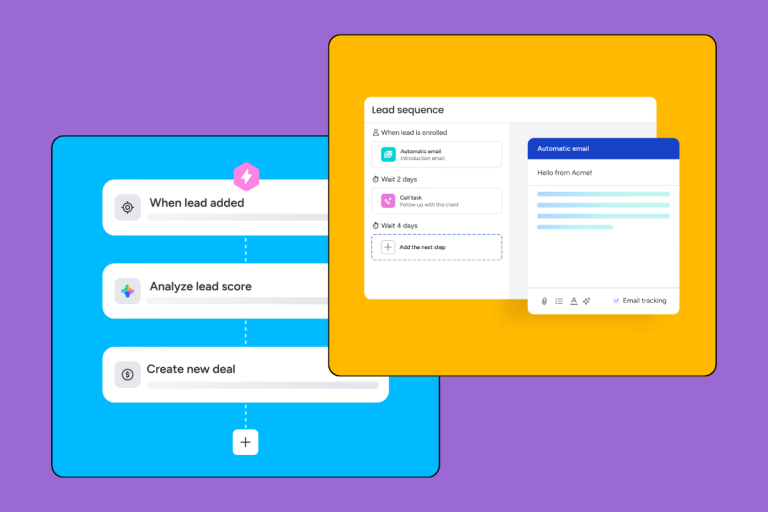
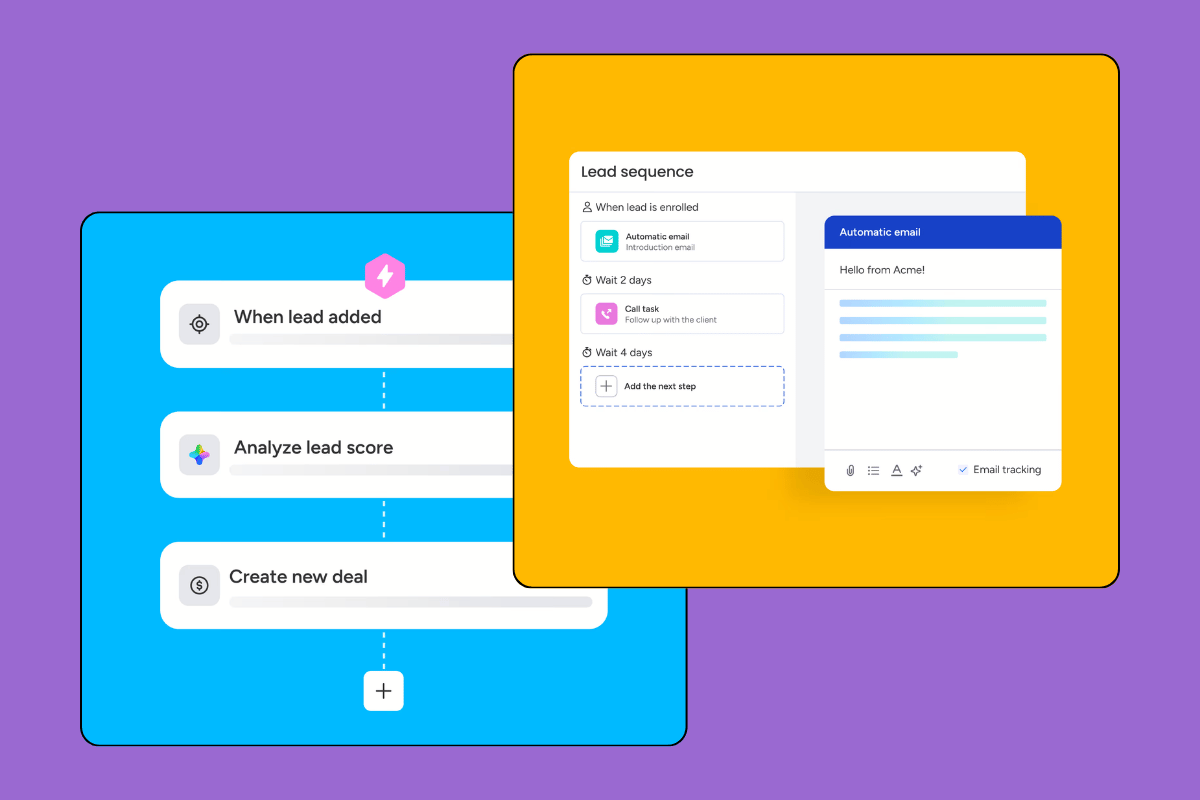
On top of that, CRM automates the repetitive parts of selling: follow-up reminders, lead scoring, email sequences, activity tracking. Your reps spend less time on admin and more time on the conversations that close deals.
Improve Customer Support
When a customer contacts your support team, the rep can immediately see the full history: what they’ve bought, every previous ticket, who they’ve spoken to. No “can you explain the issue again.” No “let me transfer you to someone who knows your account.”
Faster resolution, less frustration, better retention.
Analyse and Report
CRM turns raw customer activity into business intelligence. You can track which campaigns generated the most revenue, which reps are closing the fastest, where deals drop out of the pipeline, and what your sales forecast looks like for next quarter.
These aren’t vanity metrics. They’re the numbers that tell you what’s working and what isn’t.
Types of CRM Systems
CRM platforms generally fall into three categories. Many modern tools blend all three, but understanding the distinctions helps you figure out which capability matters most for your business.
Operational CRM
Operational CRM focuses on automating and streamlining day-to-day processes across sales, marketing, and support. This is the type most businesses mean when they say “we need a CRM.”
Key capabilities: sales pipeline management, lead and contact management, marketing automation, email sequences, ticketing and helpdesk.
Best for: businesses that want to systematise their sales and marketing operations.
Analytical CRM
Analytical CRM is built around data – collecting it, interpreting it, and turning it into strategic insight. It handles things like customer segmentation, predictive sales analysis, campaign ROI measurement, and customer lifetime value modelling.
Key capabilities: advanced reporting, dashboards, customer behaviour analysis, trend identification.
Best for: teams that make decisions based on data and need to understand patterns across thousands of customer interactions.
Collaborative (Communication) CRM
Collaborative CRM focuses on managing multi-channel customer interactions – making sure that whether a customer contacts you by email, live chat, phone, or social media, your team has the full context. It aligns sales, marketing, and support around a shared view of every customer relationship.
Key capabilities: multi-channel interaction tracking, communication history, shared customer profiles across departments.
Best for: businesses where multiple teams touch the same customers and need to stay aligned.
CRM Examples: Popular Platforms by Use Case
Different CRM platforms are built for different purposes. Here’s a quick breakdown of well-known options by primary strength.
CRM Examples for Sales Teams
- Pipedrive – Built specifically around sales pipeline management. Clean, visual, and easy to adopt. Strong for SMB sales teams that want structure without complexity.
- Salesforce Sales Cloud – The market leader for mid-market and enterprise sales. Extremely customisable and feature-rich, but implementation is a project in itself and pricing reflects that.
- Close CRM – Purpose-built for outbound sales teams. Calling, emailing, and pipeline management in one place.
CRM Examples for Marketing Teams
- HubSpot Marketing Hub – The all-in-one platform most marketing teams reach for first. Strong automation, campaign management, and analytics. Free tier available, but costs scale quickly.
- ActiveCampaign – Focused on email marketing automation and customer journey building. A strong choice for ecommerce and content businesses.
CRM Examples for Customer Support
- Zendesk – The support team standard. Ticketing, knowledge base, live chat, and reporting in one platform. Best suited to support-heavy operations.
- Freshdesk – A more affordable alternative to Zendesk with similar core functionality. Part of the broader Freshworks ecosystem.
Looking for a more detailed comparison? Check our CRM ranking where we score each platform across usability, features, value, and support.
How Much Does CRM Software Cost?
CRM pricing follows a per-user, per-month model in almost every case. What you pay depends on how many users you have, which features you need, and whether you opt for monthly or annual billing (annual usually saves 15–20%).
Here’s a rough breakdown of what different price points get you:
| Tier | Price Range | What You Get |
|---|---|---|
| Free | $0 | Contact management, basic pipeline. Enough for solo founders or tiny teams. HubSpot and Capsule have solid free tiers. |
| Entry | $10–$25/user/month | Core CRM features: pipeline, contacts, basic reporting. Fine for simple sales operations. |
| Mid-range | $30–$80/user/month | Full sales automation, email integration, reporting, some marketing features. This is where most SMBs land. |
| Premium | $80–$150/user/month | Advanced automation, forecasting, deeper integrations, dedicated support. |
| Enterprise | $150–$500+/user/month | Full customisation, advanced security, multi-territory management, enterprise SLAs. Salesforce and Microsoft Dynamics live here. |
Watch out for: onboarding fees (often $500–$3,000 for mid-tier tools), features locked to higher tiers, annual contracts with no exit, and separate charges for add-ons like advanced reporting or API access.
The cheapest CRM isn’t necessarily the cheapest solution once you factor in what you’re giving up. Run the ROI calculation: if a CRM saves each rep three hours a week, that pays for most mid-range plans within a month.
Who Needs CRM Software?
The honest answer: any business that has customers and wants to manage those relationships at scale. But here’s where CRM has the most impact.
Sales-driven SMBs – If you have a sales team of more than two or three people, a CRM is almost always worth it. The moment deals and contacts outgrow a spreadsheet, you’re losing money to disorganisation.
E-commerce businesses – CRM enables personalised follow-up, abandoned cart recovery, repeat purchase campaigns, and customer segmentation that paid advertising alone can’t replicate.
Agencies and consultancies – Managing multiple client relationships, project timelines, and communication threads across accounts is exactly what CRM is built for.
SaaS companies – Pipeline management, trial conversion, onboarding sequences, renewal tracking – CRM is the backbone of a SaaS go-to-market motion.
Real estate agencies – High-value, long-cycle relationships with multiple touchpoints. CRM keeps the entire deal history in one place.
Healthcare practices – Patient management, appointment tracking, follow-up communication. Healthcare-specific CRMs are purpose-built for HIPAA compliance.
Non-profits – Donor management, volunteer coordination, campaign tracking. Several CRM platforms offer discounted or free plans for registered non-profits.
Startups – You’ll outgrow a spreadsheet faster than you think. Getting a CRM in early means your contact data is structured from day one instead of migrated later when it’s ten times harder.
Key CRM Features to Look For
Not all CRMs are built the same. When evaluating platforms, these are the capabilities that actually matter.
Contact management – A single, searchable database for all customers, leads, and partners. Custom fields, tags, and segmentation. The foundation everything else sits on.
Pipeline management – Visual deal tracking from first contact to close. Customisable stages, deal values, close date forecasting.
Sales automation – Automated follow-up sequences, lead scoring, task assignment, activity reminders. Reduces the amount of manual work reps do on low-value tasks.
Email integration – Two-way sync with Gmail or Outlook so all email communication is logged automatically. Some CRMs include a native email client.
Reporting and dashboards – Custom reports on pipeline health, team performance, revenue forecasting, and campaign effectiveness. The better platforms let you build dashboards without needing a developer.
Third-party integrations – Connections to your email marketing platform, accounting software, support desk, and calendar. A CRM that doesn’t talk to the rest of your stack creates silos instead of eliminating them.
Mobile access – A mobile app that actually works. Essential for field sales teams, remote work, and anyone who isn’t desk-bound.
Customisation – Custom fields, workflows, pipelines, and reports. The more your business deviates from a standard sales process, the more this matters.
FAQ
What is the difference between CRM and ERP?
CRM manages your external relationships – customers, prospects, leads. ERP (Enterprise Resource Planning) manages your internal operations – inventory, accounting, HR, supply chain. Some large platforms (like Salesforce and Microsoft Dynamics) span both, but they’re separate categories. Most SMBs need a CRM long before they need a full ERP.
Is CRM only for sales teams?
No. CRM is used across sales, marketing, customer support, and operations. The best implementations involve all three customer-facing functions working from the same platform – so a support rep can see a customer’s deal history, and a sales rep can see their open support tickets.
Can a small business use a CRM?
Absolutely. Several CRM platforms offer free plans specifically designed for small teams (HubSpot, Capsule, and Zoho all have free tiers). You don’t need a 50-person sales team to benefit from centralised customer data.
What is the best CRM for small businesses?
It depends on your primary use case. For sales-focused small teams, Pipedrive is consistently one of the cleanest options. For marketing-heavy businesses, HubSpot’s free tier is hard to beat. For support-led teams, Freshdesk is the most cost-effective entry point. See our best CRM for small business guide for detailed comparisons. [INTERNAL LINK: best CRM for small business]
How long does CRM implementation take?
A simple CRM setup (contacts imported, pipeline configured, team trained) can be done in a few days for small teams on simple platforms like Pipedrive or HubSpot. Mid-market implementations with custom workflows, integrations, and data migrations typically take 4–12 weeks. Enterprise Salesforce or Dynamics implementations can run 6–18 months.
Do I need technical skills to use CRM software?
For most modern cloud-based CRMs, no. Platforms like HubSpot, Pipedrive, and Monday CRM are designed for non-technical users. Complex customisation or API integrations may require developer help, but the core functionality is point-and-click.
Bottom Line: Is CRM Worth It?
If your business has customers – and more than a handful of them – CRM software almost certainly pays for itself. The question isn’t really whether you need one. It’s which one fits your team, your process, and your budget.
The right CRM is the one your team will actually use. A beautifully engineered platform that reps ignore is worth less than a simple tool they log into every day.
Meta description: What is CRM? Learn what CRM stands for, how CRM software works, the different types, top examples, pricing, and who actually needs it – in plain English.