


Attio isn’t trying to be the next Salesforce. That’s the whole point.
Built by a London startup and released publicly in 2022, Attio is a CRM that gives you a blank canvas instead of a pre-built house. You define the objects, the fields, the views, and the workflows. If that sounds like significant setup work – it is. Whether that’s a feature or a bug depends entirely on your team.
This review is based on our deep analysis of Attio’s feature set, official pricing pages, 390+ G2 user reviews, and head-to-head comparisons with the CRM tools we’ve already reviewed. We didn’t get paid to write something glowing. Here’s what the data actually shows.
What Is Attio CRM?
Attio is a cloud-based CRM built around an object-based data model – a fundamentally different architecture from most CRMs on the market. Rather than locking you into a fixed structure of contacts → deals → accounts, Attio lets you define any type of object and connect them however your business actually works.
390+ G2 reviewers give it 4.4/5 overall. The most cited reasons: the interface feels modern and fast, filtering is genuinely powerful, and the data model is flexible enough to handle workflows most CRMs can’t.
Attio is UK-based, headquartered in London, and led by CEO Nicolas Sharp. Its growth is hard to ignore: brand searches for “Attio CRM” grew 190% year-over-year between April 2025 and March 2026. It’s firmly in “watch this space” territory for the CRM market.
How Attio’s object-based model works
Most CRMs ship with a fixed schema. You have contacts with a name, email, and phone. You have companies with a name, industry, and size. You have deals with a value, stage, and close date. The vendor decided all of this before you signed up.
Attio’s schema is configurable from the ground up. Everything is an “object” – and you can create any object type you need. Want a “Partnership” object alongside standard contacts and deals? Done. Want to track “Investors” as a distinct object with its own pipeline stages, custom fields, and automated follow-ups? You can build that. Relationships between object types are defined by you, not hardcoded by the platform.
The result: Attio can model workflows that would require expensive customization (or frustrated workarounds) in tools like Pipedrive or HubSpot. The tradeoff is that you have to define the model upfront. It doesn’t ship with a working CRM – it ships with a platform for building one.
Who Attio is designed for
Attio’s sweet spot is technical founders, RevOps teams, and companies with non-standard workflows. The interface is clean enough for non-technical users to navigate once it’s configured, but someone on your team needs to own the initial setup.
Based on G2 reviewers’ self-reported use cases, the most common profiles are: B2B startups managing investor relationships alongside a sales pipeline, agencies tracking client relationships across multiple projects with different workflows, and early-stage companies that know their process will change and want a CRM that can change with it.
Attio CRM: our score
| Category | Score |
|---|---|
| Usability | 4.5 / 5 |
| Customization | 5.0 / 5 |
| Value for money | 3.5 / 5 |
| Feature depth | 4.0 / 5 |
| Overall | 4.2 / 5 |
In a nutshell: Attio is the most flexible CRM we’ve reviewed. The object model is genuinely powerful – but that power comes with a real setup cost. If you have the time and technical confidence to configure it, you’ll likely build something you never need to replace. If you need something running by next week, start elsewhere.
Quick facts:
- Best for: B2B startups, agencies, technical teams, fundraising pipelines
- Not ideal for: Solo salespeople, teams needing out-of-the-box reporting, businesses with simple linear sales processes
- Free plan: Yes – 3 seats, 50,000 records, real features included
- Paid plans: From $29/user/month billed annually
- Trial: Free plan is available with no time limit
Key features
Attio’s feature set is built around a few core ideas: a flexible data model, real-time data enrichment, and an expanding set of AI-powered automation. Here’s what that means in practice.
What Attio can do, at a glance: build custom objects and relationships; sync Gmail and Outlook bidirectionally in real time; automatically enrich contact and company records from public data sources; build automation workflows triggered by record changes or deal stage updates; run email sequences (Pro plan); and generate AI-driven insights on deals and next actions.
Custom objects & data model
This is Attio’s defining feature, and it’s worth understanding before anything else.
In a standard CRM, contacts are contacts, deals are deals, and companies are companies. You can add custom fields, but the structure is fixed. The vendor decided what the world looks like before you arrived.
Attio’s schema is yours to define. You create the object types – “Contacts” is just one of many possible objects you might build. A VC firm might have “Portfolio Companies,” “Founders,” “LPs,” and “Deals” as four distinct object types with their own fields and relationships. An agency might have “Clients,” “Projects,” “Briefs,” and “Contacts.” Both configurations are possible, neither is the default.
G2 reviewers consistently name this as Attio’s biggest advantage. One puts it simply: “The first CRM that actually fit how our team worked instead of forcing us to fit how the CRM was designed.” That sentiment appears in variations across dozens of reviews.
The tradeoff is real, though. Before you get any value from Attio, you need to decide what objects you need, what fields matter, and how they connect. For most small teams, that’s a half-day to a few days of work. For complex operations, it’s longer – and someone technical usually needs to lead it.
Contact & company management
Once the object model is configured, day-to-day contact management is clean. Records show all associated activity – emails, meetings, notes, linked deals – in a unified view. Filtering across contacts using any field (custom or standard) is fast. Users working with tens of thousands of contacts specifically call out Attio’s filtering speed as a practical advantage over slower alternatives.
Automatic data enrichment runs in the background, pulling company information – headcount, industry, funding stage, LinkedIn URL – into contact and company records. The data isn’t perfect; some records come back empty or outdated for smaller companies. But for companies with publicly indexed information, it cuts manual data entry significantly.
Lists in Attio are live database views rather than static collections. You define filter criteria, and the list stays current automatically – records that match appear as they’re created or updated. This is useful for tracking active deals, warm leads that haven’t been contacted in 30 days, or any subset of contacts with a specific attribute combination.
Pipelines & deal management
Deal pipelines in Attio are built on top of the object model, which makes them more configurable than most. You can customize stages, the fields visible at each stage, and what triggers stage changes. Multiple pipelines for different business motions – new business, renewals, partnerships, fundraising rounds – are supported on paid plans.
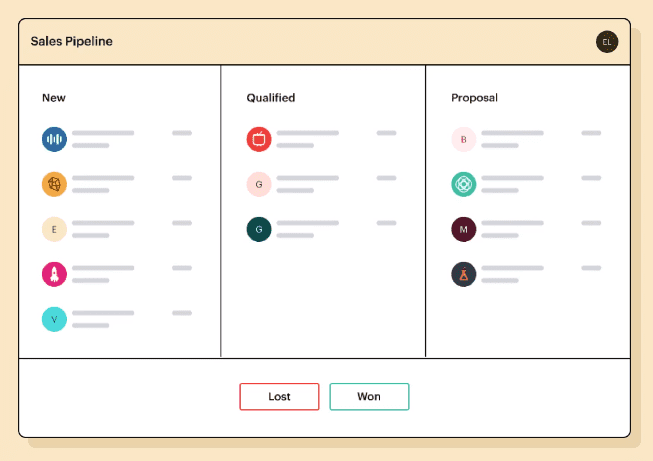
The pipeline view is a standard Kanban board: move cards, record activity, track close dates. Functional, not flashy. The reporting on pipeline health is present but limited compared to dedicated sales CRMs like Salesforce or Pipedrive. If your leadership team needs detailed forecasting, win-rate analysis by rep, or weighted pipeline value breakdowns, Attio’s current reporting will frustrate them.
One legitimate strength: the pipeline is connected to your object model. A deal can be linked to contacts, companies, partner organizations, and any other object you’ve defined – not just the three objects a standard CRM allows. For non-linear deal structures, that matters.
Automation, workflows & AI
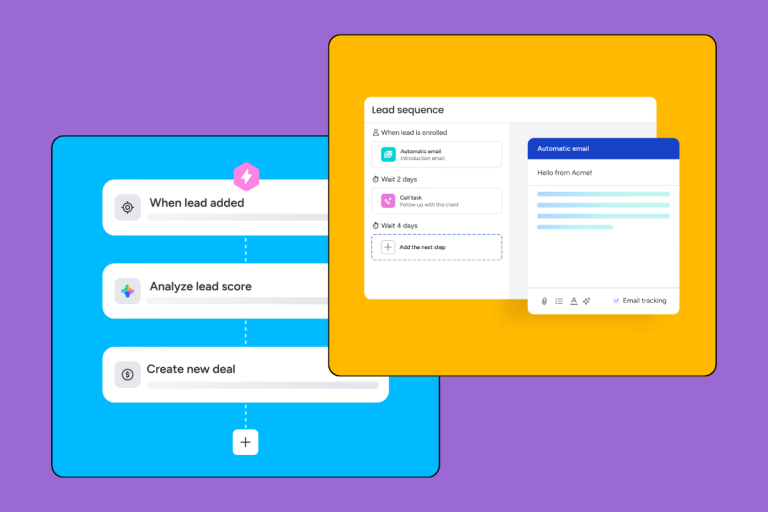
Attio’s workflow builder is configurable and growing. You can create automations triggered by specific events – a deal entering a stage, a contact attribute changing, a set number of days passing without activity – and chain those triggers into actions: send an email, create a task, notify a team member via Slack, update a field.
The AI layer adds two capabilities worth noting. AI Attributes are fields automatically populated by the platform based on existing record data and external signals – for example, an “ICP fit” score calculated without you having to score each lead manually. AI Workflows are automations where the system decides what action to take based on context, rather than executing a fixed if/then rule.
G2 reviewers rate the workflow builder positively for flexibility but note a learning curve. Simple automations – “notify the team when a deal closes” – are straightforward to build. Multi-step sequences with conditional branching take more time to get right. The consensus: it’s powerful once you understand how it works, but expect to spend time with the documentation.
Email sequences – automated cadences with follow-ups – are a Pro plan feature ($69/user/month). If outbound sequences are central to your sales process, that’s a meaningful cost consideration. Plus plan users ($29/user/month) don’t get sequences.
Integrations (Gmail, Outlook, Zapier, API)
Attio’s integration library is focused, not exhaustive. The Gmail and Outlook sync is the standout: bidirectional, real-time, and – importantly – it doesn’t require a BCC address or a third-party plugin. Emails you send and receive are logged to the relevant contact records automatically. Users consistently rate this as reliable and fast, which matters in day-to-day use.
Beyond email: Slack integration for notifications and updates, Zapier (which opens connections to 5,000+ apps), and a well-documented REST API for custom integrations. Intercom and Stripe connections are available for higher-tier plans.
What Attio doesn’t have is the breadth of HubSpot’s 1,000+ native integrations or Salesforce’s AppExchange marketplace. If your stack includes niche tools that aren’t widely covered by Zapier, check the integration library before signing up. This is one of the more commonly cited limitations in negative G2 reviews.
Attio pricing: what you actually pay
| Plan | Annual | Monthly billing | Seats | Records |
|---|---|---|---|---|
| Free | $0 | $0 | Up to 3 | 50,000 |
| Plus | $29/user/mo | ~$36/user/mo | Unlimited | 250,000 |
| Pro | $69/user/mo | ~$87/user/mo | Unlimited | 1,000,000 |
| Enterprise | Custom | Custom | Unlimited | Custom |
Paying monthly instead of annually costs roughly 25% more. Run the math for your team size before committing.
Free plan – what you get (and what’s missing)
Attio’s free plan is genuinely useful. Three seats, 50,000 records, real-time email sync, automatic data enrichment, custom objects, and basic pipelines are all included – no artificial 14-day timer. For a small founding team that needs a CRM today without spending money, this is a real option.
What’s not there: email sequences, private lists, advanced automation, and priority support. If you’re running outbound sales or need sequences as part of your process, you’ll hit the ceiling fast and need to upgrade to Plus.
Plus ($29/user/month) – right for growing teams?
Plus is where most growing SMBs land. At $29/user/month billed annually, it unlocks private lists, enhanced email sending (500 sends per month), and broader collaboration features.
For a 5-person team: $145/month annually, or $1,740/year. That’s competitive with Pipedrive’s Growth plan and considerably cheaper than HubSpot’s Professional tier. If your workflow is contact management, pipeline tracking, and basic automation, Plus covers the job.
The limit to watch is email sends. 500/month at Plus, 1,000/month at Pro. If you’re running active outbound campaigns, those caps will constrain you sooner than expected.
Pro ($69/user/month) & Enterprise
Pro adds sequences, call intelligence, advanced permissions, and priority support. At $69/seat annually, a 10-person sales team costs $690/month – $8,280/year. That’s meaningful money. It’s also Salesforce pricing territory, which is worth naming plainly.
Pro makes sense if sequences are core to your workflow, if you have a team large enough to need permission controls, or if the support SLA matters. For smaller teams doing relationship-driven sales (not high-volume outbound), Plus usually covers what you need.
Enterprise is custom pricing: dedicated support, SSO, SCIM provisioning, advanced security controls, and custom record limits. Contact Attio’s sales team for specifics.
Attio vs. the competition
Attio vs. HubSpot CRM
HubSpot’s free CRM is broader out of the box – more native integrations, more pre-built marketing tools, more ready-made reports. A team that needs a CRM running immediately with minimal configuration will get there faster with HubSpot Free.
Where Attio wins: the data model. HubSpot’s schema is fixed. You can add custom properties, but you can’t redefine what “contacts” or “deals” mean at a structural level. Teams with workflows that don’t fit HubSpot’s predefined objects end up working around the system rather than with it. In Attio, you build the model your business actually uses.
Where HubSpot wins: ecosystem. 1,000+ native integrations, a large community, and built-in marketing, service, and ops tools that Attio doesn’t touch. If marketing automation is core to your business, HubSpot covers territory Attio doesn’t.
Cost at scale: HubSpot Professional (the first plan with meaningful automation) starts at $800/month for 5 users. Attio Plus at 5 users is $145/month. The gap is significant. Read our full HubSpot review →
Attio vs. Pipedrive
Pipedrive is faster to start. Connect your email, create a pipeline, and you have a working CRM in under an hour. It’s built specifically for salespeople, and the UX reflects that – deal-centric, stage-focused, and opinionated about how the sales process should work.
Attio is more powerful but requires more setup. The payoff only shows up after you’ve configured your data model.
Where Pipedrive wins: out-of-the-box sales focus, ease of setup, and reporting depth. Pipedrive’s built-in reports cover revenue forecasting, activity tracking by rep, and conversion rates in a way Attio currently doesn’t match.
Where Attio wins: flexibility. If your sales process doesn’t fit the standard contact → deal → close model – because you’re selling to partnerships, managing investor relations, or running complex multi-stakeholder deals – Attio can accommodate it. Pipedrive can’t.
Cost: Pipedrive’s Essential plan starts at $14/user/month. Attio’s free plan is $0 for up to 3 seats. For a solo founder or a team of two, Attio’s free tier outperforms Pipedrive’s paid entry on features. Read our full Pipedrive review →
Attio vs. Folk CRM
Folk is probably Attio’s closest philosophical competitor – both are built for modern, relationship-driven workflows and attract similar buyer profiles: founders, agencies, investors.
Folk is lighter. It’s easier to set up and deliberately simpler in scope. Where Attio’s object model can get sophisticated, Folk keeps it approachable. The tradeoff is that Folk has less depth for teams that need complex automation or non-standard data structures.
If you’re a solo founder or very small team who wants a clean relationship tracker that’s up in an afternoon, Folk is worth comparing directly. If you expect your CRM requirements to grow more complex as the business scales, Attio’s flexibility gives it a meaningful edge.
Who should use Attio (and who shouldn’t)
Use Attio if:
You’re a B2B startup with a non-standard sales or relationship workflow. You track investors, partners, or portfolio companies alongside standard contacts. Someone on your team is comfortable designing a data model (or you’re willing to spend time on it). You need real-time email sync without third-party plugins. You want a free plan that actually covers core CRM functionality for a small team without a clock counting down.
Skip Attio if:
You need a CRM running this week with no configuration time. Your sales team is large and non-technical – the setup overhead has to land somewhere, and it shouldn’t land on people who just want to log calls. Advanced reporting and revenue forecasting are core to how you manage the business. You need deep native integrations with specific tools (LinkedIn Sales Navigator, complex marketing automation platforms, ERPs). You’re doing high-volume outbound and need robust sequence features on a budget – sequences require Pro at $69/seat.
The pattern in G2 reviews is consistent. Teams that love Attio took time to configure it and built something that fits their exact workflow. Teams that felt let down either expected a plug-and-play experience or had requirements – advanced reporting, broad integrations, high-volume outbound – that Attio’s current feature set doesn’t fully cover.
The verdict: is Attio worth it?
Attio earns 4.2/5 from us. It’s the most flexible CRM at this price point, and the free plan is among the most generous on the market.
But “most flexible” isn’t the same as “right for everyone.” The setup cost is real. The integration library is narrow compared to entrenched competitors. The reporting won’t satisfy teams that need detailed forecasting. And the per-seat pricing at Pro makes large sales teams do careful math.
Choose Attio if you’re a technical founder, a RevOps person who wants to build a CRM that fits your exact workflow, or a small team that needs a capable free CRM without artificial time limits or feature gaps. If you’re building a company with a non-standard go-to-market motion, Attio is genuinely worth the configuration investment.
Avoid Attio if you want something working out of the box, need deep native integrations, or are running a large sales team where per-seat costs at $69/user/month become a significant line item.
For most early-stage B2B companies, the free plan or Plus plan is worth trialing. Attio’s onboarding is clear enough that you’ll know within a week whether the object model works for you. If it clicks, it tends to click hard – which explains why search interest in Attio grew 190% in the past year.
Attio CRM FAQ
Is Attio free?
Yes. Attio has a genuinely free plan for up to 3 seats with 50,000 records included. It covers core contact management, pipeline tracking, and real-time email sync. The free plan doesn’t include email sequences, advanced automation, or private lists – those require the Plus plan at $29/user/month billed annually.
Where is Attio based?
Attio is a UK company headquartered in London at 25 Easton Street, WC1X 0DS. CEO Nicolas Sharp founded the company, and it operates internationally with customers across Europe and North America.
Can Attio replace Salesforce for small businesses?
For most small businesses, yes – with caveats. Attio covers the core CRM needs SMBs actually use: contact management, pipeline tracking, email sync, and basic automation. What it lacks is Salesforce’s depth of native reporting, territory management, and the AppExchange ecosystem. If your business needs Salesforce-level forecasting or complex approval workflows, Attio isn’t there yet. If you need a flexible, modern CRM at a fraction of the cost, it’s a serious option.
Does Attio slow down with large contact databases?
Based on 390+ G2 reviews, Attio handles large databases well. Users working with 50,000+ contacts report fast filtering performance. The Pro plan supports up to 1,000,000 records. Complex automation workflows with very large datasets can occasionally lag, but this isn’t a commonly reported issue for typical SMB use cases.